

Brother ScanNCut and Cricut solve the same basic problem in very different ways. Cricut is built around a guided software workflow and a broad machine/tool ecosystem. Brother ScanNCut is built around something Cricut still does not have: a scanner inside the cutting machine, plus a touchscreen that can create and edit many projects without a computer or phone.
For most first-time buyers making vinyl decals, stickers, cards and HTV shirts, I would choose the Cricut Explore 5. Choose the Brother ScanNCut DX SDX125E instead if scanning drawings, printed shapes, fabric scraps or existing artwork directly into the machine is central to how you want to work. And choose the Cricut Maker 4 when fabric and advanced tools such as the rotary blade, knife blade, engraving and debossing matter more than having a scanner.
If you already know the main reason you are buying a cutting machine, these three choices cover the most common decisions.

| Decision | Brother ScanNCut DX | Cricut | Winner |
|---|---|---|---|
| Built-in scanner | Yes; SDX125E has a built-in scanner and on-screen placement/editing | No built-in scanner | ScanNCut |
| Standalone cutting | Excellent; built-in/scanned designs can be edited on the 5-inch touchscreen | Projects are prepared/sent through Design Space on a computer or mobile device | ScanNCut |
| Beginner software workflow | CanvasWorkspace plus machine touchscreen; more ways to work, but more concepts to learn | Design Space is more guided and consistent across current Cricut machines | Cricut |
| Vinyl / HTV | Very capable; Auto Blade and half-cut settings are useful | Very capable; large ecosystem and Smart Materials on current models | Tie |
| Print-and-cut stickers | Scanner can directly see printed artwork/material placement | Print Then Cut uses printed registration workflow through Design Space | Depends on workflow |
| Fabric / quilting | Strong, especially for scanning patterns and Brother sewing integration on higher models | Maker 4 has the broader specialized tool ecosystem, including Rotary Blade | Maker 4 for tool breadth; ScanNCut for scan/sewing workflow |
| Advanced tools | Optional drawing, foil, emboss, fabric and roll-feed accessories vary by model | Maker 4 supports 13 tools for cutting, scoring, engraving, debossing and more | Cricut Maker 4 |
| Subscription required? | No subscription required for basic machine use; CanvasWorkspace is free | No subscription required for the machine or basic Design Space; Cricut Access is optional | Tie |
For most people asking “ScanNCut vs Cricut,” this is the most useful current comparison. Both are 12-inch-class hobby cutters, both handle common vinyl/paper craft jobs, and both have wireless workflows. The reason to choose one over the other is not a single force number; it is whether you value an integrated scanner and standalone controls more than Cricut’s simpler software ecosystem and long Smart Material workflow.
| Feature | Brother ScanNCut DX SDX125E | Cricut Explore 5 |
|---|---|---|
| Built-in scanner | Yes, up to 600 dpi Scan-to-USB; 11.7-inch maximum scanning width | No |
| On-machine editing | 5-inch LCD touchscreen; resize, rotate, weld and place scanned/built-in designs | No equivalent on-machine design screen |
| Standalone use | Yes for built-in and scanned workflows | Requires Design Space on a supported device to prepare/send jobs |
| Built-in designs | 682 designs, including 100 quilt patterns and 9 fonts on the current SDX125E product page | Designs are handled primarily through Design Space / your own uploads |
| Material thickness | Brother rates Auto Blade cutting up to 3 mm on compatible materials | Material capability depends on the compatible tool; Explore 5 supports 100+ materials and a Deep Cutting Tool |
| Matless long cutting | Optional roll-feeder workflows are available on ScanNCut DX; usable width differs from mat cutting | Up to 11.7 inches wide by 12 feet with compatible Smart Materials |
| Weight | 12.79 lb | 10 lb |
| Best reason to buy | Scanner + standalone workflow | Simpler mainstream ecosystem + long matless cuts |
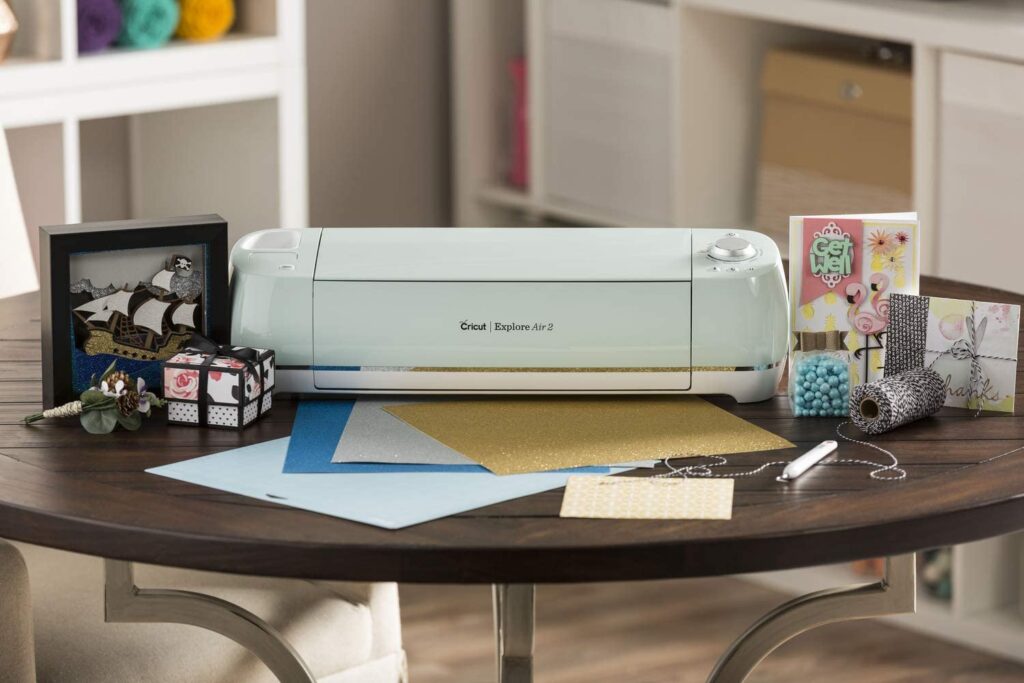
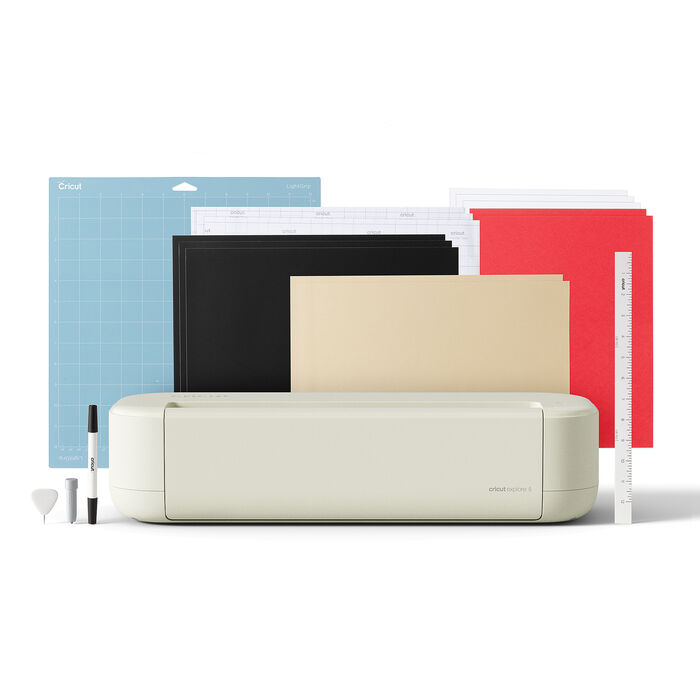
Key details: 10 lb; 100+ compatible materials; 11.5 × 23.5-inch maximum mat cut; up to 11.7 inches × 12 feet with compatible Smart Materials; Print Then Cut; writing/drawing; Deep Cutting Tool support; Design Space for desktop/mobile.
Explore 5 is the machine I would start with for the largest group of Crafty Hangouts readers because it covers the projects that pull people into cutting machines without charging for capabilities they may never use. Vinyl decals, HTV shirts, cardstock, labels and full-color stickers are all squarely in its comfort zone.
The bigger advantage over ScanNCut is not that it can make something the Brother cannot. It is that Cricut has made the workflow deliberately guided. Design Space controls the machine settings, presents the mat/material sequence clearly, and keeps the experience similar if you later move to another Cricut.
Explore 5 also handles long compatible Smart Materials up to 12 feet, which is convenient for banners, repeated decals and long vinyl designs. That is a different kind of convenience from Brother’s scanner: Cricut removes friction from software-to-cut projects, while Brother removes friction from physical-object-to-cut projects.
The weakness is straightforward: there is no scanner and no meaningful standalone design screen. If you sketch something on paper and want to turn its outline into a cut without photographing/scanning it with another device and uploading the file, the ScanNCut workflow is better.
What we like
What could be better
Best for: beginners and general crafters whose projects start as digital files and who mainly make vinyl, HTV, stickers, labels, cards and paper crafts.
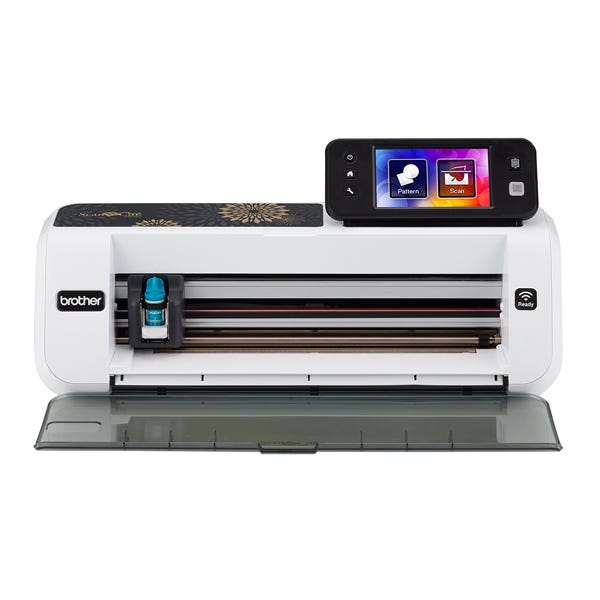
Key details: built-in scanner up to 600 dpi for Scan to USB; 11.7-inch maximum scanning width; 5-inch LCD touchscreen; standalone operation; Auto Blade thickness sensing; cuts compatible materials up to 3 mm; 682 built-in designs; wireless; FCM/SVG support; 12.79 lb.
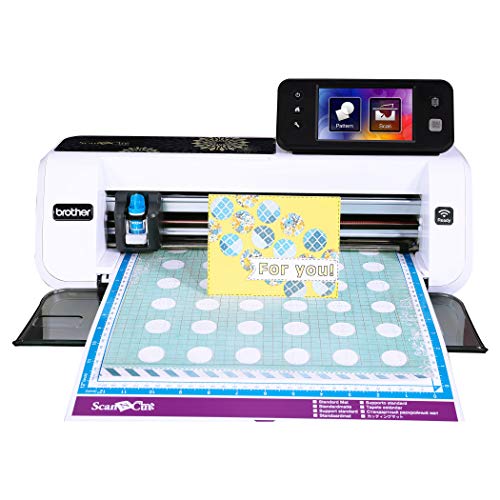
The SDX125E is the reason ScanNCut remains meaningfully different from Cricut. Its scanner is built into the cutting machine, so you can place a drawing, printed shape, fabric scrap or pattern on the mat, scan it, see it on the screen and create or position a cut line around the physical object.
That is especially useful when the physical material is the starting point. Quilters can scan fabric to see motif placement. Paper crafters can reuse hand-drawn shapes. Scrap users can scan the mat and place a design inside the exact remaining material area. Cricut can reach similar end results, but it usually needs a separate camera/scanner/upload workflow.
Brother’s Auto Blade also reduces setup. The machine senses material thickness for compatible jobs, and the half-cut setting is useful for kiss-cutting the top vinyl layer while leaving the backing intact.
The other major advantage is standalone use. Brother lets you edit built-in and scanned designs on the 5-inch screen. CanvasWorkspace expands what you can do, but it is not mandatory for every basic project. This is the clearest difference for a crafter who dislikes relying on a computer, phone or tablet.
The downside is that ScanNCut’s flexibility creates a somewhat less unified experience than Cricut. You may use the machine screen, CanvasWorkspace, wireless transfer and accessories depending on the project. A beginner who mainly downloads SVGs and cuts them may find Cricut’s simpler path easier.
What we like
What could be better
Best for: crafters who will actually use the scanner, quilters/sewists, people working from physical drawings or scraps, and anyone who values useful standalone operation.
Key details: 300+ materials; 13-tool ecosystem; Rotary Blade, Knife Blade, engraving, debossing, scoring and foil options; 11.5 × 23.5-inch mat cutting; up to 11.7 inches × 12 feet with compatible Smart Materials; 15.4 lb.
Maker 4 is not the automatic winner simply because it is Cricut’s premium machine. If your projects are mostly adhesive vinyl and HTV, Explore 5 is the better-value choice. Maker 4 earns its place when you can name the advanced tools or materials you expect to use.
The Rotary Blade is the standout for sewists because it cuts unbonded fabric without requiring the same bonded-fabric approach as mainstream craft cutters. The Knife Blade expands into denser materials such as chipboard and balsa, while engraving, debossing and scoring tools turn Maker into a broader desktop fabrication system.
Brother ScanNCut can be excellent for fabric because it can scan patterns and fabric placement, and higher ScanNCut models such as the SDX325 add deeper sewing-oriented integration. But Maker 4 has the broader specialized tool family. That distinction is more useful than saying one machine is simply “more powerful.”
The tradeoff is that Maker 4 still has no built-in scanner. If scanning is the feature you would use every week, paying more for Maker 4 does not solve that problem.
What we like
What could be better
Best for: crafters who genuinely plan to use fabric, wood/chipboard, engraving, debossing or other advanced Maker tools—not someone who only needs a more expensive vinyl cutter.
The Brother lineup has several variants, and you do not need to pay for the highest model just to get the core ScanNCut idea.
| Model | Why It Exists | Who Should Consider It |
|---|---|---|
| ScanNCut DX SDX85S | Lower-cost entry to Auto Blade + built-in scanner; 251 built-in designs | Someone who wants the ScanNCut concept at a lower entry point and does not need the larger built-in design library |
| ScanNCut DX SDX125E | Mainstream sweet spot with 682 built-in designs, 5-inch screen and scanner | Most buyers specifically choosing Brother for ScanNCut features |
| ScanNCut DX SDX325 | Fabric-focused model with 1,300+ built-in designs, Thin Fabric Auto Blade and Brother XP sewing-machine connectivity | Serious quilting/sewing users, especially owners of compatible Brother XP machines |
| Disney ScanNCut variants | Add Disney designs/cosmetics and model-specific bundles | Buy for the licensed content only if you value it; it does not change the basic ScanNCut-vs-Cricut decision |
A scanner sounds like a spec-sheet extra until your projects begin with physical objects instead of clean digital artwork.
The SDX125E can scan the material on its mat, which creates several practical workflows:
Cricut’s Print Then Cut is excellent when the project begins digitally: Design Space prints the design with registration information, then the machine reads the print and cuts it. That is different from having a general-purpose scanner built into the cutter.
Buying rule: if you cannot immediately think of something physical you want to scan, do not pay for ScanNCut just because the scanner sounds impressive. If you already work from patterns, drawings, fabric motifs or scraps, it may be the feature that saves the most time.
Software is the second major difference.
Design Space is intentionally guided. You upload or create artwork, assign operations, choose material settings, preview mats and send the job. It is not a replacement for Illustrator, Affinity Designer or Inkscape, but that limitation can make the first weeks easier for a beginner.
Cricut supports SVG uploads. You do not need Cricut Access simply to upload and cut your own SVG files. Cricut Access is an optional paid subscription for a larger content library and selected advanced Design Space features.
Brother’s CanvasWorkspace is the free design platform that supports the ScanNCut ecosystem, but Brother also gives you meaningful controls directly on the machine. For SDX125E users that means CanvasWorkspace is not the only path to a finished cut: built-in and scanned designs can be manipulated from the touchscreen.
That is why comparing software alone understates ScanNCut’s approach. Brother splits control between the machine and software; Cricut centers almost everything around Design Space.
ScanNCut is the stronger choice for true standalone crafting. A current ScanNCut DX can use its built-in designs, scanner and on-screen editing without requiring you to design the project on another device first.
Cricut is less restrictive offline than some older guides claim. Design Space for Windows/Mac and iOS allows saved content to be designed, edited and cut offline. However, you need to prepare/download content in advance, and several functions still require internet access. Cricut specifically lists Print Then Cut, image uploads, searches, new machine setup and some other features as unavailable offline. Android currently does not support Design Space offline mode.
So the practical distinction is not “Brother works offline, Cricut does not.” It is: Brother has a genuinely useful machine-only workflow; Cricut has an offline mode for previously prepared content on supported platforms.
For normal adhesive vinyl and heat-transfer vinyl, both are excellent. This category is not a reason by itself to pay for ScanNCut.
I would choose Explore 5 for most vinyl/HTV beginners because the software/material workflow is easier and compatible Smart Materials can be cut without a mat for long jobs. Cricut’s accessory and material availability is also very broad.
I would choose ScanNCut when the scanner improves vinyl placement or artwork capture. For example, scanning material scraps before positioning multiple decals can reduce waste, and the half-cut setting is useful for kiss-cutting vinyl while leaving its backing intact.
If vinyl is your primary business rather than one of many crafts, also read our best vinyl cutter guide. It explains when a craft cutter makes sense and when a wider/sign-oriented machine is the better investment.
This one depends on how the sticker begins.
If you are also considering Silhouette because sticker layout/design control matters, see our updated Cricut vs Silhouette comparison before deciding.
This is where the answer becomes less obvious.
ScanNCut is uniquely useful for pattern and placement workflows. You can scan fabric or a physical pattern, add seam allowance on supported workflows, and place cuts visually. Brother’s higher SDX325 is specifically designed as a fabric-focused companion and can exchange designs with compatible Brother XP sewing machines using My Connection.
Maker 4 wins for specialized cutting-tool breadth. Cricut’s Rotary Blade handles unbonded fabric, while the broader Maker tool family adds knife, engraving, debossing and scoring options that go well beyond sewing.
So I would choose ScanNCut for the sewist who thinks in terms of patterns, fabric placement and scanning, and Maker 4 for the mixed-media crafter who wants fabric plus the broadest tool system.
No. This point deserves to be explicit because older comparison articles often get it wrong.
Cricut Access is optional. Design Space is the machine-control/design application, while Cricut Access is a paid subscription for a large image/font/project library and selected premium software features. You can upload your own SVG files and use the machine without subscribing.
That does not mean every Design Space feature is free. Cricut reserves some convenience features—such as Automatic Background Remover and Convert to Layers—for Access subscribers. But those paid features are different from saying the cutter itself requires a subscription.
The ScanNCut-vs-Cricut decision only gets you to the brand. If you decide you prefer Cricut’s workflow, use the site’s existing Cricut Machine Finder to match your actual projects to the current model. The tool below is rendered by the Crafty Hangouts Tools plugin; this article does not add custom finder code.
As a simple rule, Explore 5 is enough for most stickers, vinyl, HTV and paper crafts. Maker 4 is justified when you specifically need its fabric/advanced-material tool system. Our best Cricut machine for beginners guide goes deeper into the current lineup.
Choose Brother ScanNCut if:
Choose Cricut if:
ScanNCut is better when its built-in scanner and standalone touchscreen solve a real workflow problem. Cricut is better for most beginners whose projects start digitally because Design Space and the current machine ecosystem make the path from file to finished cut simpler.
No for many projects. The SDX125E can scan, edit and cut built-in or scanned designs from its 5-inch touchscreen. A computer/mobile workflow through CanvasWorkspace expands what you can do but is not required for every project.
Cricut needs Design Space running on a supported computer or mobile device to prepare and send jobs. Depending on the current Cricut model and platform, you can use Windows, Mac, iOS or Android. Cricut does not have the same standalone touchscreen workflow as ScanNCut.
No. Cricut Access is optional. Design Space can be used without an Access subscription, and you can upload your own supported artwork such as SVG files. Some premium images, fonts and advanced software features do require payment or Cricut Access.
For a beginner mainly cutting vinyl and HTV, I would choose Cricut Explore 5 because its workflow is simpler and its Smart Material system handles long compatible vinyl/iron-on jobs. Choose ScanNCut when the built-in scanner or material-placement workflow will actually save you time.
ScanNCut is excellent for scanning physical patterns/fabric and for sewing-oriented placement workflows. Cricut Maker 4 is stronger if you want the broadest specialized tool ecosystem, especially Rotary Blade plus other advanced-material tools. The better choice depends on whether scanning/placement or tool breadth matters more.
Brother lists SVG among the supported file formats for the current SDX125E. CanvasWorkspace and machine workflows can be used to bring compatible design files into the ScanNCut ecosystem.
No. Cricut machines use sensor-based Print Then Cut for printed projects, but that is not the same as ScanNCut’s general-purpose built-in scanner that can scan material, drawings and physical shapes on the cutting mat.
Only if you will use it. For someone who starts every project from downloaded SVG files, the scanner may add cost without much value. For quilters, illustrators, paper crafters, scrap users and anyone working from physical artwork or patterns, it can be the main reason to choose Brother.
No. Upgrade when a specific limitation is costing you time or blocking projects: a scanner you genuinely need, longer matless cuts, a specialized tool, a more useful fabric workflow, or software/hardware compatibility. A new model name by itself is not a reason to replace a working cutter.
For most buyers, I would choose the Cricut Explore 5. It is the cleanest fit for the projects most people actually make with these machines and does not force you to pay for premium tools you may never use.
I would choose the Brother ScanNCut DX SDX125E instead when the scanner is part of the plan, not merely an interesting feature. Physical artwork, fabric motifs, patterns, scraps and standalone machine editing are where ScanNCut creates a workflow Cricut still does not directly reproduce.
And if you already know you want fabric plus advanced cutting/engraving/debossing tools, skip Explore and buy the Cricut Maker 4. That is a different reason to spend more than buying ScanNCut for its scanner.
The simplest buying rule is: choose ScanNCut for physical-to-digital crafting, Explore 5 for the easiest mainstream digital-to-cut workflow, and Maker 4 for the broadest advanced-tool workflow.
This comparison was materially updated for the current machine generations using manufacturer documentation rather than carrying forward old model claims. Key sources checked include: