

The hardest part of choosing between Cricut and Silhouette is that the machines overlap more than the brand marketing makes it seem. Both can cut vinyl and heat-transfer vinyl, make stickers with a home inkjet printer, draw with pens, work without a mat on compatible materials, and handle the projects most beginners actually buy a cutting machine to make.
The real difference is how you want to design, what materials you expect to grow into, and how much control you want over the workflow.
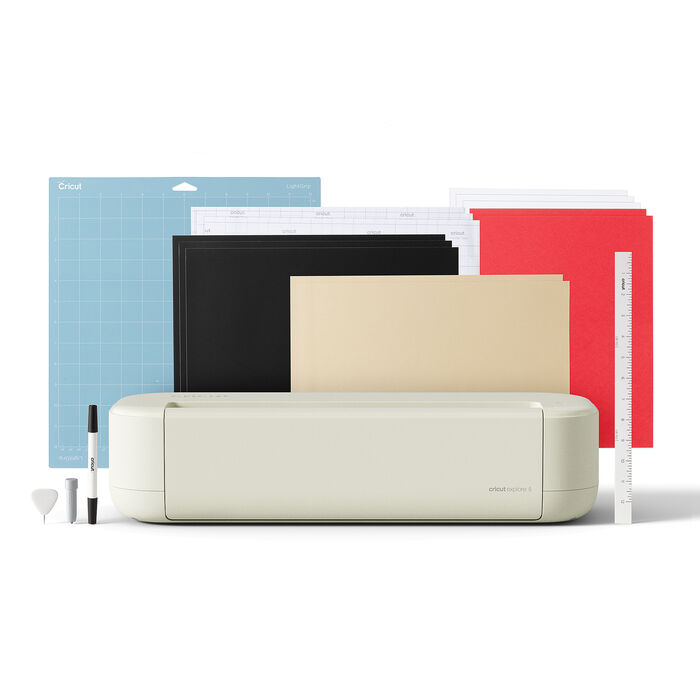
For most first-time buyers, I would choose Cricut. The current Cricut Explore 5 gives a beginner a simpler route into stickers, decals, cards and T-shirts, and Cricut lets you upload SVG files in the free Design Space software. I would choose Silhouette instead for a user who values deeper desktop design control, long roll-fed cuts, and Silhouette’s more advanced Print & Cut workflow. And if fabric, engraving, debossing or wood are part of your plans, the Cricut Maker 4 is the stronger fit than either mainstream machine.
Best starting point for most people: Cricut Explore 5.
Best all-around Silhouette: CAMEO 5 Alpha.
You do not need to compare every machine either company has ever made. These are the current models that cover the most common buyers.


This is the brand-level comparison that matters more than comparing headline cutting-force numbers that do not translate cleanly between different mechanisms and tools.
| What Matters | Cricut | Silhouette | My Pick |
|---|---|---|---|
| Beginner learning curve | Design Space is deliberately guided and simple. | Silhouette Studio offers more controls and can feel busier at first. | Cricut |
| Desktop design control | Good for assembling projects, basic editing and guided workflows. | Stronger built-in vector/design workflow for users willing to learn it. | Silhouette |
| SVG import | SVG upload is supported in free Design Space. | SVG opening requires Silhouette Studio Designer Edition or above. | Cricut for free SVG import |
| Print & Cut / stickers | Strong and easy workflow; internet is required for Print Then Cut in Design Space. | CAMEO 5 Alpha adds a four-point registration system for improved alignment. | Silhouette for enthusiasts; Cricut for simplicity |
| Long matless vinyl | Explore 5 and Maker 4 support long Smart Material cuts up to 12 ft. | CAMEO 5 Alpha supports lined-material cuts up to 16 ft. | Silhouette |
| Fabric / advanced materials | Maker 4 has rotary, knife, engraving, debossing and other specialized tools. | CAMEO 5 Alpha supports more tools than older Cameos, but Maker remains stronger for fabric-heavy/advanced-material workflows. | Cricut Maker 4 |
| Compact machine | Joy Xtra is 8.5-inch class and very simple to live with. | Portrait 4 is lighter and gives you the Silhouette Studio workflow. | Tie: depends on software preference |
| Wide-format path | Cricut Venture is Cricut’s wide-format option. | Silhouette offers CAMEO 5 Alpha Plus and CAMEO PRO MK-II in the same broader family. | Silhouette |
| Subscription required? | No. Design Space and machine use do not require Cricut Access, though some content/features are paid. | No recurring subscription is required for basic Silhouette Studio; advanced editions are one-time upgrades. | Tie |
| Machine | Cut Width / Length | Materials / Thickness | Best For |
|---|---|---|---|
| Cricut Joy Xtra | 8.2 in x 11.7 in on mat; 8.5 in wide Smart Materials | 75+ material types on Cricut’s current US product page | Compact stickers, cards, vinyl and HTV |
| Cricut Explore 5 | 11.5 x 23.5 in on mat; 11.7 in x 12 ft with compatible Smart Materials | 100+ materials; deep-cut option up to about 1.5 mm for compatible materials | Most hobbyists, stickers, shirts, vinyl, cardstock |
| Cricut Maker 4 | 11.5 x 23.5 in on mat; 11.7 in x 12 ft Smart Materials | 300+ materials; 13-tool ecosystem including rotary/knife/engraving/debossing options | Advanced materials, fabric and broadest Cricut versatility |
| Silhouette Portrait 4 | 8.5 x 12 in cutting area; about 8.6 in wide with roll feeder | Up to 2 mm material thickness | Compact desktop cutting, stickers and paper |
| Silhouette CAMEO 5 Alpha | 12 x 24 in guaranteed mat area; 11.6 in x 16 ft with lined material | Up to 3 mm material thickness; dual tool carriage | Design-heavy users, stickers and long vinyl |
Note: manufacturer material counts and maximum sizes depend on the exact tool, mat and material. Treat them as compatibility guides rather than promises that every material at a listed thickness will cut identically.
Already leaning Cricut? Use the existing Crafty Hangouts Machine Finder to match your projects, workspace and experience level to the right current model.
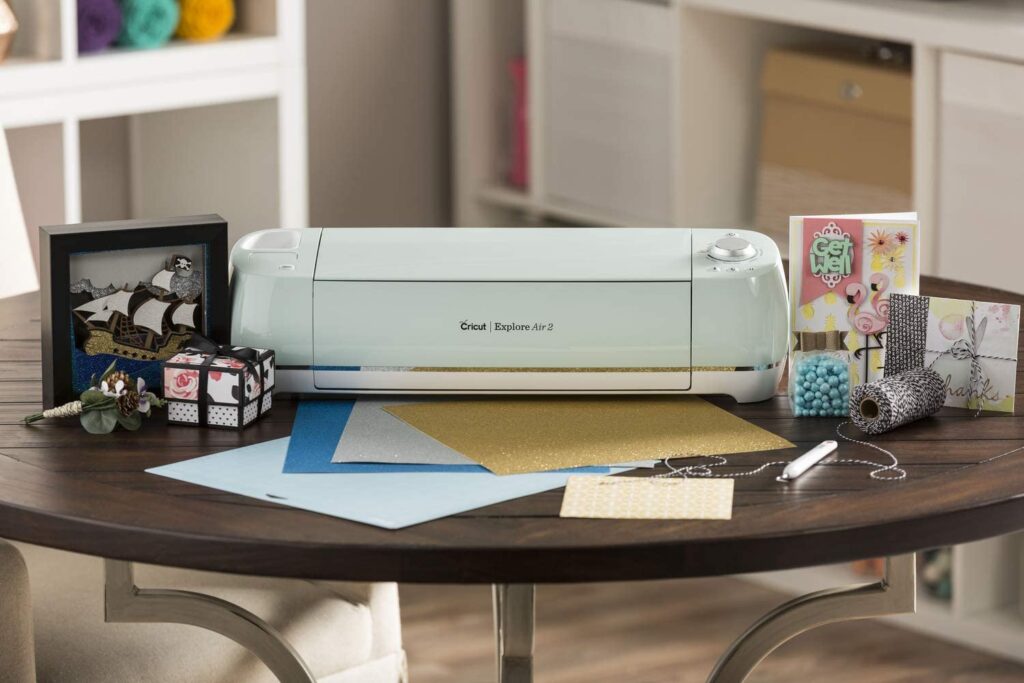
For most people, this is the comparison that should replace the old Explore Air 2 vs Cameo 4 debate.
The Explore 5 covers the projects that bring most people into this category: adhesive vinyl, HTV for shirts, cardstock, labels and full-color Print Then Cut stickers. Cricut says the current machine works with 100+ materials and has been redesigned to be 30% more compact than previous Explore models while retaining 12-inch-class cutting.
What matters more than the material count is the workflow. Design Space is intentionally constrained compared with a full vector-design application. That can frustrate advanced designers, but for a first machine it also removes many decisions. You choose the operation, size the artwork, set the material and let the software guide the cut.
Cricut also supports SVG upload in the free software. That matters if you buy SVG designs from independent creators or make them in Illustrator, Affinity Designer or Inkscape—you do not need to purchase a software edition upgrade simply to open the file.
The Explore 5 is not the Cricut to buy for everything. If you already know you want a rotary blade for unbonded fabric, knife-blade projects, engraving or debossing, buying the Explore and upgrading later can cost more than going directly to the Maker 4.
The CAMEO 5 Alpha is the more appealing machine if your projects regularly start with custom vector work rather than ready-made templates. Silhouette Studio exposes more design controls directly inside the cutting application, so it can replace more of the work you might otherwise do in a separate design program.
The Alpha version also introduces four-point Print & Cut registration. Silhouette says the move from three to four registration points improves alignment in both directions and helps compensate for slight print distortion. For someone making a lot of stickers, that is a more meaningful upgrade than a marketing number about raw cutting force.
The other big advantage is long material handling. Silhouette specifies up to 16 ft of cutting length with lined material on the CAMEO 5 Alpha. If you make wall graphics, signs or repeated vinyl graphics, that is useful headroom beyond the 12-ft Smart Material specification on Cricut’s current full-size consumer machines.
The catch is software cost if you depend on SVG files. Silhouette Studio Basic is free, but Silhouette’s own documentation says opening SVG files requires Designer Edition or above. That is a one-time software upgrade rather than a subscription, but it should be part of the buying decision.
The old version of this comparison made the software difference sound like “Cricut is cloud-only, Silhouette works offline.” That is no longer accurate.
Design Space is free to install and use for the core machine workflow. Cricut Access is an optional paid subscription that unlocks a much larger content library and some premium software features; the machine itself does not require the subscription.
Design Space can also work offline on Windows/Mac and iOS if you save the necessary projects and content to the device first. However, Cricut states that Print Then Cut requires an internet connection, as do image uploads and online searches. Android currently does not have the same offline workflow.
For importing your own work, Design Space accepts SVG and common raster formats. That makes Cricut unusually friendly to a buyer who creates SVGs somewhere else but does not want to pay simply to import them.
Silhouette Studio is a more capable design environment out of the box for users who want to draw, edit nodes, trace artwork and build cutting files inside the machine software. That flexibility is one of Silhouette’s biggest advantages.
But there is a caveat that is easy to miss when comparing the brands: the free Basic edition does not open SVG files. Silhouette says SVG import requires Designer Edition or higher, while SVG export requires Business Edition. Designer Edition is a one-time license upgrade rather than a recurring subscription.
I give Silhouette the edge for a dedicated sticker maker, but Cricut is easier for a casual sticker maker.
Both brands use an inkjet printer for the color artwork and then read registration marks to cut around the printed design. Cricut calls the workflow Print Then Cut. Silhouette uses Print & Cut.
Cricut’s advantage is ease. Explore 5 and Joy Xtra both support full-color printed stickers, and Design Space walks a new user through the workflow. If you are making a few sticker sheets alongside vinyl and T-shirts, I would not choose a different brand solely for stickers.
The CAMEO 5 Alpha becomes more compelling when stickers are a major part of the workload. Its four-point registration system is specifically designed to improve alignment, and Silhouette Studio gives an experienced user more control over registration, layout and design.
For a compact sticker machine, compare the Cricut Joy Xtra against the Silhouette Portrait 4. Joy Xtra is the easier compact workflow; Portrait 4 is the better fit if you want Silhouette Studio on the desktop.
For most T-shirt makers, I would choose Cricut Explore 5. Both brands cut heat-transfer vinyl well, so the decision is less about cutting performance and more about workflow, width and the rest of your shirt-making setup.
The Explore 5’s 12-inch-class width is a comfortable fit for normal adult shirt graphics, Smart Iron-On can be used without a mat for long cuts, and Design Space is straightforward for text, logos and purchased SVG designs.
The CAMEO 5 Alpha makes more sense if you create the artwork yourself in Silhouette Studio, need longer roll-fed jobs, or want the same software environment for stickers and sign vinyl.
Remember that the cutting machine only cuts the HTV. You still need to apply it correctly. If shirts are your main reason for buying one of these machines, see our guide to the best Cricut machines for making shirts, compare the best heat presses, and use our updated heat press temperature chart before pressing.
For normal decals, either brand is excellent. The split appears when the project becomes longer or the software becomes more important.
If vinyl cutting is your main use rather than a mixed craft workflow, our best vinyl cutter guide covers craft cutters and business-oriented roll cutters separately.
Cricut Maker 4 wins this category clearly.
The reason is not that Cricut is generally “more powerful.” The reason is the Maker tool system. Maker 4 supports a rotary blade for fabric as well as specialized tools for scoring, engraving, debossing, perforation and knife-blade work. Cricut currently lists compatibility with 300+ materials and 13 tools across the Maker ecosystem.
If you mainly cut quilting cotton, appliqué shapes, felt, leather and other craft materials, that breadth is much more useful than comparing a single maximum-thickness specification.
The Explore 5 can handle bonded fabric and other craft materials with compatible tools, but if fabric is a core use, I would buy the Maker rather than trying to turn an Explore into one later.
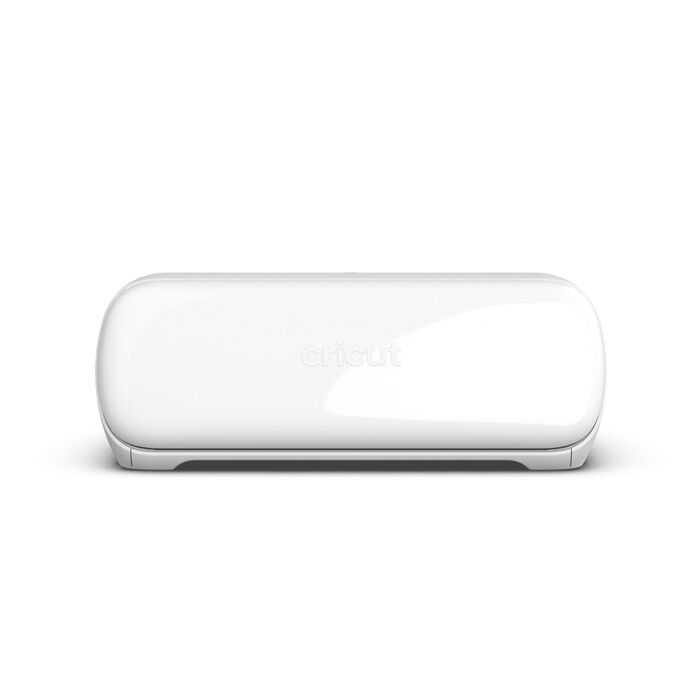
Joy Xtra and Portrait 4 solve a similar problem: you want most of the popular vinyl/sticker/card workflow without giving a full-size cutter permanent desk space.
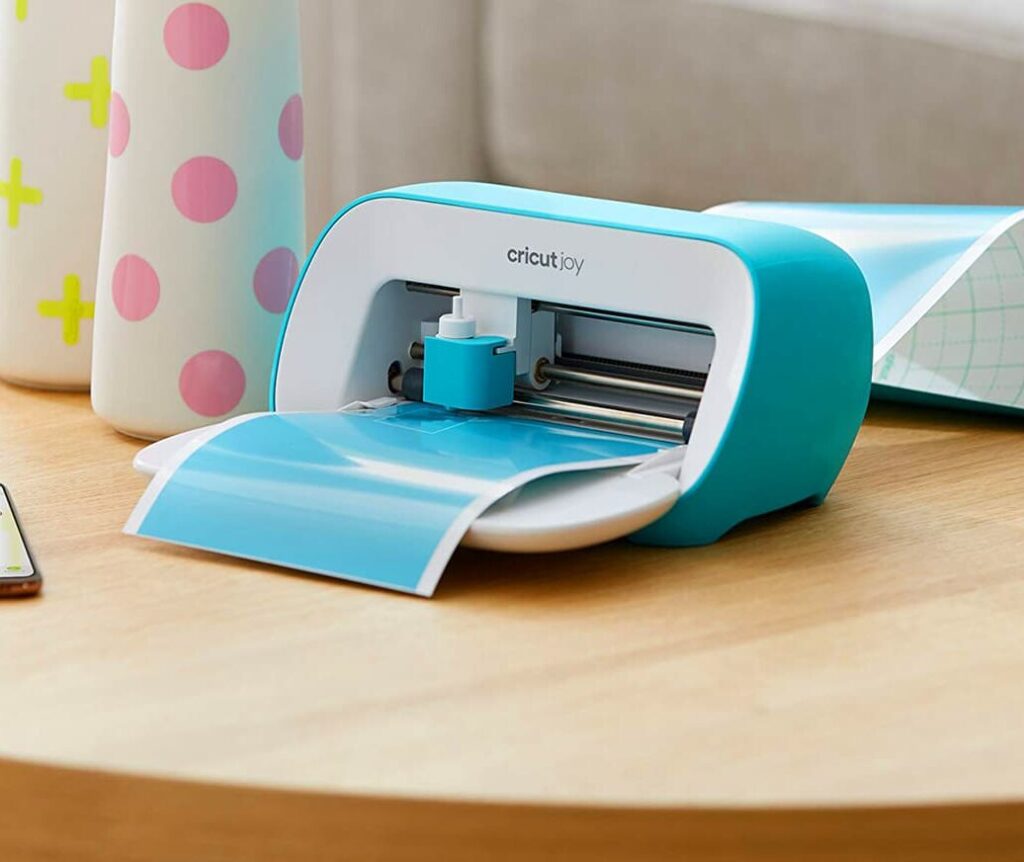
Joy Xtra is my pick for the simplest compact setup. It works with common US Letter/A4 printable sizes, handles Print Then Cut, cuts 8.5-inch-wide Smart Materials, and uses the same beginner-friendly Design Space workflow as larger Cricut machines.
Portrait 4 is my pick for the compact user who wants Silhouette Studio. Silhouette lists an 8.5 x 12-inch cutting area, 2 mm maximum material thickness, Bluetooth/USB connectivity and compatibility with optional electrostatic-mat technology. It is also lighter than Joy Xtra.
Neither is the right purchase if you routinely make full-width adult shirt designs or large signs. In that case, move to Explore 5 or CAMEO 5 Alpha.
| Your Main Project | Machine I Would Choose | Why |
|---|---|---|
| First cutting machine / mixed crafts | Cricut Explore 5 | Easiest overall balance of capability, learning curve and project variety. |
| Sticker-heavy hobby or business | Silhouette CAMEO 5 Alpha | Four-point registration plus stronger desktop layout/design control. |
| T-shirts and HTV | Cricut Explore 5 | Simple SVG/HTV workflow and sufficient width for mainstream shirt graphics. |
| Fabric / quilting / advanced craft materials | Cricut Maker 4 | Rotary/knife and specialized tool ecosystem. |
| Long vinyl graphics | Silhouette CAMEO 5 Alpha | Up to 16-ft lined-material cutting and roll-oriented workflow. |
| Small desk / compact stickers | Joy Xtra for simplicity; Portrait 4 for software control | Both are 8.5-inch-class cutters with different software strengths. |
| More than 12 inches wide | Silhouette larger-format family or Cricut Venture | Do not buy a 12-inch machine and immediately fight its width limit. |
I would not choose between Cricut and Silhouette from a cutting-force number alone.
Those figures are tempting because they look objective, but they do not tell you which blades, tool geometry, carriage, pass settings and material profiles are available for the project. A Maker 4 with the correct specialized blade can be the better practical tool for a material even if another machine advertises a larger force number elsewhere.
Instead, start from the exact material and tool you need. If your goal is ordinary vinyl, HTV, paper or printable sticker stock, both ecosystems already have more than enough cutting capability.
No—neither machine family requires a recurring subscription just to use the cutter.
Cricut Design Space is free for core use. Cricut Access is optional and adds a large content library and certain premium software features. You can also buy some digital content individually.
Silhouette Studio Basic is free. Silhouette’s advanced software is sold through edition upgrades rather than requiring a recurring subscription. The most important upgrade for many buyers is Designer Edition because it enables SVG import.
This creates an interesting tradeoff: if you already own hundreds of SVG files, Cricut lets you import those in the free software, whereas Silhouette gives you deeper native design tools but asks you to upgrade Studio to open SVGs directly.
Silhouette Studio is fundamentally a desktop application and is well suited to users who like keeping design work local.
Cricut is no longer accurately described as “online only.” On Windows/Mac and iOS, Design Space can save projects, fonts and eligible images for offline use. The limitations matter, though: Cricut says you still need the internet for Print Then Cut, uploading images, searching online content and periodically syncing/verifying certain content.
If you frequently work somewhere with unreliable internet and your projects depend on Print Then Cut, that is worth considering before choosing Cricut.
Choose Maker 4 over Explore 5 when you have a concrete need for its extra tools and materials. It is the strongest Cricut option for fabric and advanced craft work, not an automatic upgrade for someone who only cuts vinyl and cardstock.
Choose Joy Xtra for a compact machine that can still make useful full-color stickers, cards, smaller shirt designs and vinyl decals. Avoid it if 8.5-inch width will frustrate you.
Choose Portrait 4 if you want a compact Silhouette Studio machine for stickers and smaller vinyl/paper projects.
These become interesting when width is the problem. Silhouette’s broader consumer/prosumer lineup gives users a more direct path beyond the 12-inch CAMEO. Do not pay for the larger machine unless your actual designs require the width and you have room to feed large material through it.
There is no single business winner because the bottleneck changes with the product you sell.
If apparel is the business, remember that cutting is only part of the system. See our T-shirt printing machine guide, heat transfer paper guide, and printer for heat transfers guide before building the workflow around one cutting machine.
I would choose Cricut for most beginners because Design Space makes the basic cut workflow easier to learn and free SVG importing removes one software hurdle. Silhouette is the better beginner choice when that person already enjoys design software and wants more control from the beginning.
For occasional stickers, either is excellent and Cricut is simpler. For a sticker-focused user, I prefer the CAMEO 5 Alpha because of its four-point Print & Cut registration and Silhouette Studio’s deeper layout/design controls.
No. Silhouette America currently says SVG files require Silhouette Studio Designer Edition or above. Basic Edition remains free, but SVG support is a paid edition feature.
Yes. Cricut’s current upload documentation supports SVG files. Cricut Access is not required simply to upload and cut your own SVG.
Partly. Design Space on Windows/Mac and iOS can use projects/content that you prepared for offline use. Cricut states that Print Then Cut, image uploading and online searches still require an internet connection.
Maker 4 is the better choice for fabric and advanced materials because of its specialized tool system. CAMEO 5 Alpha is the better choice if desktop design control, long vinyl cuts and Print & Cut are your priorities.
For most home shirt makers, I would buy Cricut Explore 5 and put the remaining budget into a good heat press and materials. Maker 4 is unnecessary for basic HTV shirts unless you also need its advanced-material features.
No. If your current machine reliably handles your projects, a new model alone is not a reason to replace it. Upgrade when a specific limitation—width, speed, tool compatibility, registration or material support—is costing you time or stopping you from making something you actually want to sell or create.
Cricut is my recommendation for most first-time buyers. The Explore 5 handles the mainstream projects people actually make—stickers, vinyl decals, cards and HTV shirts—without making the software the hardest part of the hobby. Free SVG import is also a bigger practical advantage than it first appears.
Silhouette is the better fit for the design-first user. If you want more control inside the cutting software, make a lot of Print & Cut stickers, or routinely work with long rolls of vinyl, the CAMEO 5 Alpha has advantages that can matter every week rather than just on a specification sheet.
And if you need fabric and advanced-material tools, step outside the basic brand comparison and buy the Cricut Maker 4. Its rotary, knife, engraving, debossing and other specialized options solve jobs that do not fit neatly into the Explore-vs-CAMEO question.
The simplest buying rule is this: pick the ecosystem that removes the biggest friction from the projects you make most. Beginners usually benefit from Cricut’s simpler workflow. Design-heavy users often benefit from Silhouette’s software and material handling. Advanced-material users benefit from Maker 4’s tool system.
Cricut Explore 5
Best general-purpose starting point for mainstream craft projects.
Silhouette CAMEO 5 Alpha
Best for deeper design control, stickers and long vinyl cuts.
Cricut Maker 4
Best when fabric and specialized tools are part of the plan.