

The easiest way to buy the wrong heat transfer paper is to choose by brand before checking printer type, fabric color and fabric composition. Light-fabric paper and dark-fabric paper work differently, inkjet paper should not be run through a laser printer unless the manufacturer explicitly allows it, and stretchable synthetics need a different transfer than a basic cotton T-shirt.
For a first project on a white or pale cotton shirt, I would start with Avery 3275 Light Fabric Transfers. For black or dark cotton and cotton/poly blends, Avery 3279 Dark Fabric Transfers is the safer starting point. If you make transfers in larger batches, PPD’s light and dark papers give you more pack-size flexibility, while Avery 3302 is the more appropriate pick for light stretchable synthetics.
If you already know whether you are printing on a light, dark, or stretchable garment, these three cover the most common starting points.


| Your Setup | Use This Type | Best Starting Pick | Key Warning |
|---|---|---|---|
| Inkjet + white/light cotton | Light-fabric transfer paper | Avery 3275 or PPD PPD-1 | Mirror the design before printing |
| Inkjet + black/dark cotton or cotton/poly | Dark-fabric transfer paper | Avery 3279 or PPD PPD-4 | Do not mirror; trim because unused white carrier stays visible |
| Inkjet + light stretchable synthetic | Stretchable transfer paper | Avery 3302 | Use the product’s fabric and heat instructions; ordinary light paper is not the same thing |
| Color laser + dark fabric | Laser-compatible dark transfer paper | NuFun Dark | Do not put inkjet-only media through a laser printer |
| Sublimation printer + polyester | Sublimation paper, not this category | See our printer guide | Requires sublimation ink and a compatible substrate |
| Cricut/Silhouette + solid-color designs | HTV may make more sense | See our Cricut shirt guide | Printable transfer paper and heat-transfer vinyl are different materials |
Planning a lot of shirts?
Before buying a large pack, use the site’s existing Transfer Paper Cost Calculator to compare sheet cost, ink, blanks and expected waste. The tool below is rendered by the Crafty Hangouts Tools plugin; this article does not add separate calculator code.
These terms are often mixed together in shopping results, but they describe different workflows.
Key details: 8.5 × 11 inches; 12 sheets; inkjet; white/light cotton and cotton/poly blends; mirrored print; iron or heat press.
Avery 3275 is the one I would hand to a first-time user making a white or pale cotton T-shirt. Avery’s current guidance makes the workflow unusually clear: use an inkjet printer, mirror the design, place the printed transfer face-down, and apply it to white or light-colored cotton or cotton/poly fabric.
The biggest advantage of a light transfer is also its limitation. The unprinted carrier becomes relatively transparent, so you do not have to contour-cut every white area out of a photographic design. But the shirt color also shows through the transparent areas. On a black shirt, the image will lose contrast instead of suddenly becoming opaque.
Avery currently lists 375°F for 15 seconds at high pressure when using a heat press. Treat that as a product-specific starting point, not a universal heat-transfer setting. Our heat press temperature chart explains why paper, HTV, DTF and sublimation require different settings.
Who should skip it: anyone printing on dark garments, using a laser printer, or decorating 100% polyester. Avery says its standard light and dark transfers are not intended for 100% polyester; use the stretchable product below for appropriate light synthetic fabrics.
Pros
Cons
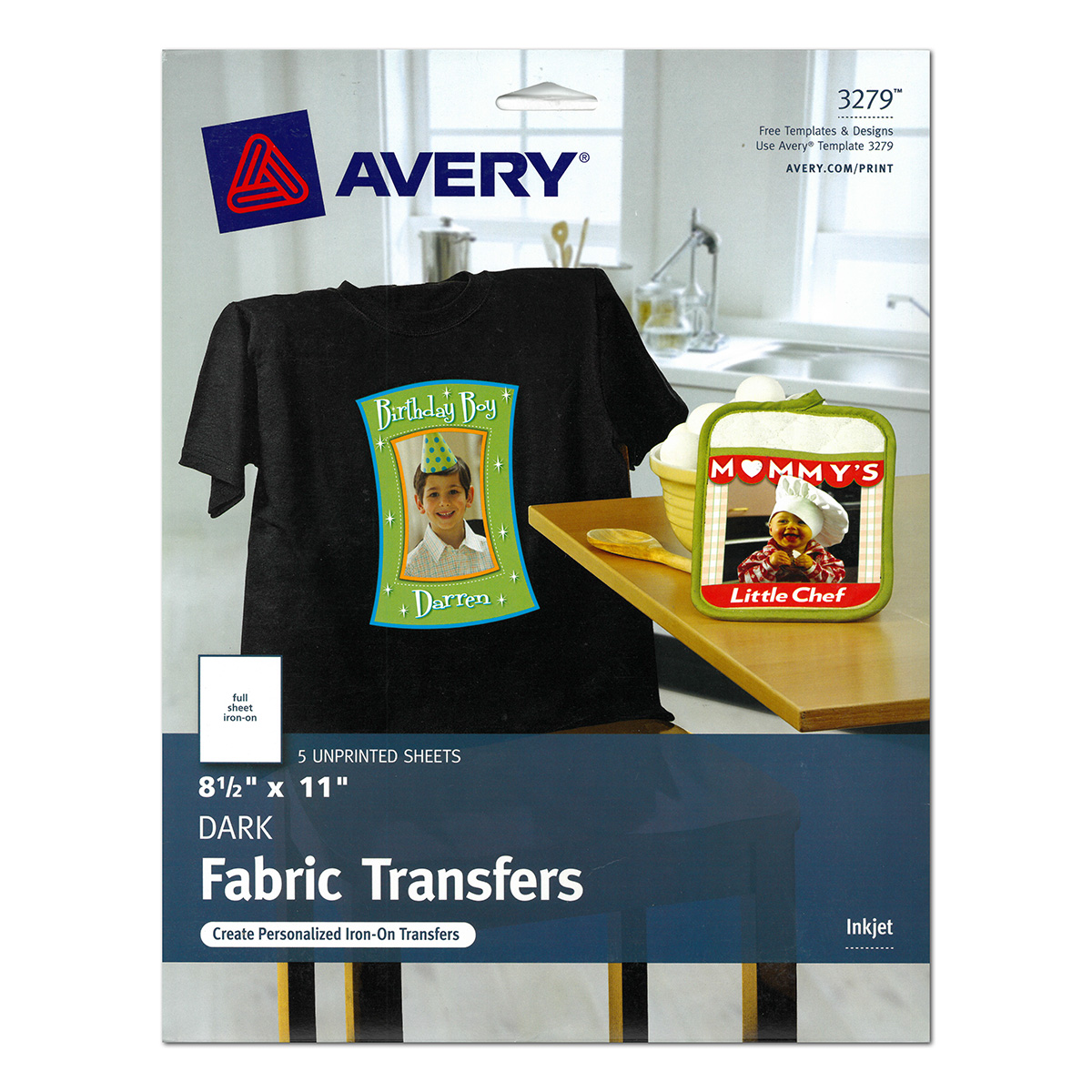
Key details: 8.5 × 11 inches; 5 sheets; inkjet; dark cotton/cotton-poly fabrics; no mirroring; cutter compatible; iron or heat press.
Dark garments need an opaque layer because an ordinary inkjet printer cannot print white. Avery 3279 solves that with a white transfer base. That is why a full-color photo can remain visible on a black shirt instead of the fabric color showing through the light parts of the design.
The workflow is different from light paper. Do not mirror the design. Print it right-side-up, trim the transfer, remove the backing, place the image face-up on the garment and use the supplied protective sheet during application. The white carrier makes trimming more important: any unused white edge you leave around the artwork can remain visible on the finished shirt.
For a heat press, Avery’s current specification is 320°F for 30–45 seconds at light-to-medium pressure. Again, follow the instructions in the pack you actually receive if Avery revises the material.
Who should skip it: laser-printer owners and users who need a very soft, nearly invisible carrier on a pale shirt. This is intentionally an opaque dark-fabric transfer.
Pros
Cons

Key details: 8.5 × 11 inches; inkjet; standard dye or pigment ink; white/light fabrics; mirror image; iron or heat press; multiple pack sizes available.
PPD-1 is the light-fabric paper I would look at when you know you will use more than a starter pack. Photo Paper Direct currently sells it in several quantities, which makes it easier to scale from occasional gifts to repeated club, event or small-business work without changing media.
PPD says the paper is compatible with standard inkjet dye and pigment inks. It is not laser paper and does not accept sublimation ink. For light transfers, PPD’s current FAQ says to mirror the artwork and place the printed image face-down during application.
One unusual compatibility detail is worth knowing if you own a Cricut or Silhouette. PPD’s current FAQ specifically says its light transfer paper is not compatible with smart cutters, even though the company’s dark paper is. If precision contour cutting is central to your workflow, that difference can make PPD-4 below the easier PPD product to automate.
Who should skip it: users with laser printers, people making dark shirts, and anyone whose workflow depends on a smart cutter for every transfer.
Pros
Cons
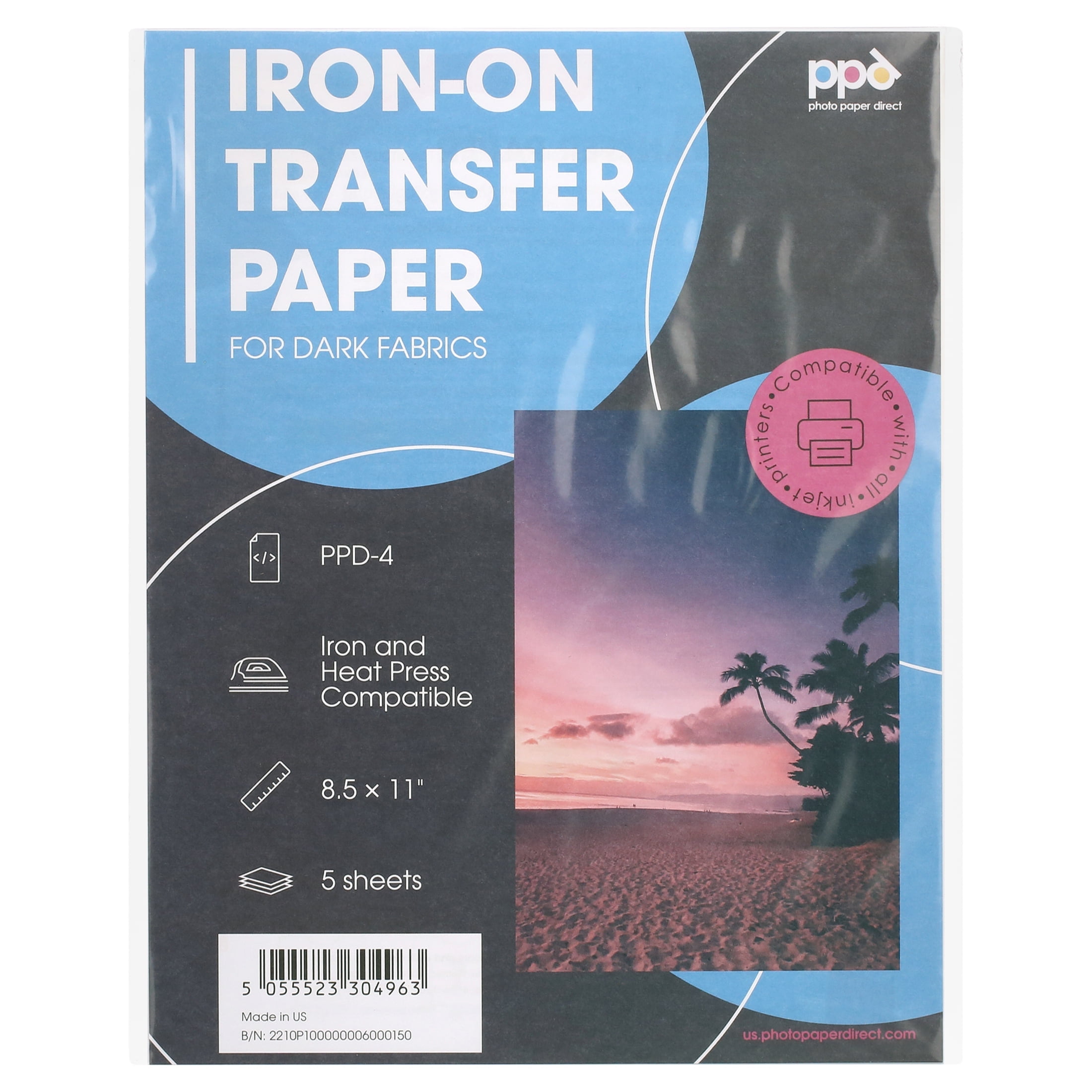
Key details: 8.5 × 11 inches; inkjet; standard dye/pigment ink; dark fabrics; no mirroring; Cricut/cutter compatible; iron or heat press; multiple pack sizes.
PPD-4 makes more sense than the Avery dark pack when quantity and cutting-machine workflow matter more than having the most beginner-oriented instructions. Photo Paper Direct currently offers the dark material in pack sizes ranging from small packs to high-volume quantities, and an 11 × 17 version is also part of its current range for users with a printer and press that can handle larger media.
Like other opaque dark transfers, PPD-4 prints right-side-up. You trim the design, remove the backing, lay the transfer face-up on the garment and place the silicone sheet between the transfer and heat source. The unused carrier remains white, so contour cutting has a visible payoff.
PPD explicitly supports Cricut-style smart cutters on the dark paper. That makes it the more logical PPD choice for logos and shapes that would be tedious to trim by hand.
Who should skip it: laser-printer owners. PPD’s current FAQ states that its transfer-paper coating is for inkjet printers only.
Pros
Cons
Key details: 8.5 × 11 inches; 5 sheets; inkjet; light stretchable cotton blends, synthetic and synthetic-blend fabrics; mirrored print; cutter compatible.
Avery 3302 exists because a basic light-cotton transfer is not automatically the right material for a stretchy performance shirt. Avery specifically positions 3302 for white or light-colored stretchable synthetic and synthetic-blend fabrics, and separately confirms that this is the product in its line intended for appropriate 100% polyester use.
It retains the light-transfer workflow: mirror the image, print with an inkjet, place it face-down and apply heat. It can also be cut with Cricut- or Silhouette-style electronic cutters, which is useful for complex shapes.
Avery’s current heat-press instructions specify 375–400°F for 20 seconds at medium pressure. Polyester can still be heat-sensitive, so the garment manufacturer’s care limits and the transfer instructions both matter. Test an inconspicuous area before committing a valuable blank.
Who should skip it: anyone decorating black/dark polyester. This is a light-fabric transfer; its suitability for stretch does not make it opaque on dark material.
Pros
Cons

Key details: 8.5 × 11 inches; dark fabrics; compatible with both standard inkjet and laser printers according to NuFun; no mirroring; cutter compatible; iron or heat press.
NuFun earns a place here because its current dark transfer is one of the clearer mainstream options that explicitly supports both inkjet and laser printers. That can save you from buying a second printer if your craft room or small office already uses a color laser.
The dark workflow is straightforward: print right-side-up, cut the design, peel the backing, place the transfer face-up and cover it with parchment paper before applying heat. NuFun also sells larger 11 × 17 dark sheets, so the system can scale beyond letter-sized chest graphics if the rest of your equipment supports the size.
This does not mean every transfer paper can be moved freely between inkjet and laser. PPD and Avery explicitly restrict the products above to inkjet. Printer compatibility is a property of the exact coating, not a generic characteristic of “heat transfer paper.”
Who should skip it: light-shirt users who want the thinnest, most transparent light-fabric carrier. NuFun’s dark paper is deliberately opaque.
Pros
Cons
This is the non-negotiable first filter. Avery’s standard fabric transfers are inkjet products. PPD’s current transfer-paper FAQ also says its coating is inkjet only. NuFun’s current dark transfer is different: the manufacturer explicitly supports both inkjet and laser printers.
Do not assume that paper physically fitting in the tray makes it compatible. A laser printer uses heat in its toner-fusing process before the paper ever reaches your heat press, so running the wrong coated media through it can damage the sheet or potentially the printer.
Light transfer paper relies on the garment as part of the visual result. The unused carrier becomes mostly transparent, so it works on white and pale shirts but cannot create an opaque white base over black fabric.
Dark transfer paper includes an opaque white layer. That lets full-color artwork show on black and navy shirts, but it also means every untrimmed white area can remain visible. If you use detailed contours, a Cricut or Silhouette cutting machine can become more valuable with dark transfer media.
Do not stop at “polyester blend” or “cotton.” Avery’s standard light/dark products are aimed at cotton and cotton/poly blends, while its 3302 stretchable transfer is the line designed for light stretchable synthetic fabrics and compatible 100% polyester applications.
For true dye sublimation on polyester, use a sublimation workflow rather than printable iron-on paper. The two methods create different finished layers and require different ink/media.
A useful rule of thumb is that transparent/light transfers are commonly applied printed-side-down and therefore need mirroring, while opaque dark transfers are commonly printed right-side-up and applied face-up. But use the exact product instructions rather than relying on that shortcut.
On dark transfer paper, the unprinted carrier is generally white and visible. Tight trimming or contour cutting can make the difference between a deliberate-looking logo and a large white rectangle around the design. Light transfers are more forgiving because the carrier becomes transparent, though a visible sheen can still remain around some designs.
Most home transfer paper is 8.5 × 11 inches. If you want large back graphics, 11 × 17 media can be useful—but only if your printer can feed it and your heat press can apply even heat and pressure over the design.
There is no universal “heat transfer paper temperature.” Settings belong to the exact transfer product. These current Avery values show how much even one manufacturer’s line can vary:
| Avery Product Type | Temperature | Time | Pressure | Mirror? |
|---|---|---|---|---|
| Light fabric transfer | 375°F | 15 sec | High | Yes |
| Dark fabric transfer | 320°F | 30–45 sec | Light to medium | No |
| Stretchable transfer | 375–400°F | 20 sec | Medium | Yes |
Always follow the instructions for the product and pack you actually have. If your transfer sticks in some areas and lifts in others, the issue may be pressure or platen temperature rather than the paper itself. See our heat press temperature chart and heat press guide for a broader troubleshooting workflow.
| Problem | Likely Cause | Check First |
|---|---|---|
| Design is faint on a dark shirt | Light-fabric paper used where an opaque dark transfer was needed | Switch to dark-fabric transfer paper |
| Words read backward | Light transfer was printed without mirroring | Confirm the paper’s mirror instructions before reprinting |
| White box around a dark transfer | Opaque carrier was not trimmed | Trim closer or use a compatible contour cutter |
| Edges lift after application | Insufficient heat/pressure, uneven platen, or wrong application cycle | Recheck the exact manufacturer’s instructions and platen contact |
| Transfer yellows | Too much heat or time | Stop over-pressing; verify the product-specific setting |
| Paper jams or behaves badly in printer | Wrong printer technology or unsupported media/feed path | Confirm inkjet vs laser compatibility before trying another sheet |
| Design cracks when garment stretches | Non-stretch transfer used on stretchable fabric | Use a transfer specifically designed for that fabric/stretch level |
| Transfer fails on rough fabric | Loose/rough weave prevents even bonding | Use smooth, tightly woven fabric approved by the paper maker |
For a white or pale cotton T-shirt and a normal inkjet printer, Avery 3275 is the easiest starting point because the workflow is clearly documented and the transparent light-fabric carrier is forgiving around photographic designs. For black shirts, use a dark-fabric product such as Avery 3279 instead.
No. Match the paper to the printer technology. Avery’s standard fabric transfers and PPD’s transfer paper are inkjet products. NuFun’s current dark transfer is explicitly compatible with both inkjet and laser printers. Never assume compatibility simply because the sheet fits.
It depends on the product. Avery and PPD light transfers are mirrored. Avery 3279, PPD-4 and NuFun dark transfers are printed right-side-up. Follow the specific package instructions.
Yes, but use a product made for dark fabric. It needs an opaque layer so white and bright colors remain visible. A normal transparent light-fabric transfer will let the black shirt color show through.
Only when the exact transfer is approved for the fabric. Avery states that its normal light and dark transfers are not for 100% polyester, while its 3302 Stretchable Fabric Transfer is compatible with appropriate light synthetic fabrics including 100% polyester. For traditional polyester sublimation, use sublimation ink and paper instead.
No. Printable iron-on transfer paper carries a printed layer onto the fabric. Sublimation paper is a temporary carrier for sublimation ink, which dyes polyester or polymer-coated blanks under heat. The printers, inks, media and compatible fabrics differ.
No. The terms are sometimes used loosely by sellers, but printable transfer paper and printable HTV/DTV products can have different construction, cut/peel/application steps and printer requirements. Buy from the exact workflow instructions, not from a generic “printable iron-on” label.
Not always. Every product in this guide can be applied with an iron or heat press according to its manufacturer. A heat press becomes more useful when you need repeatable temperature, pressure and coverage across multiple shirts.
Choose by the shirt and printer you already own:
If your goal is selling shirts rather than making occasional gifts, choose the entire workflow together: printer, paper, heat press, blank garment and application settings. You can also compare the economics with our T-Shirt Printing Profit Calculator before buying supplies in bulk.