


As an Amazon Associate I earn from qualifying purchases.
Buying a fabric cutting machine? Start with the shapes you cut—not the fanciest motor. If you repeat hundreds of quilt squares, a steel-rule die cutter can save more setup time than a digital machine. If you want different appliqué shapes every week, choose a programmable rotary-blade cutter. If you cut long garment panels, a good rotary cutter and ruler may be faster than either.
Fast verdict: For custom fabric shapes, start with Cricut Maker 5 (but add the fabric blade and mat). For tracing paper drawings, choose Brother ScanNCut DX SDX125E. For affordable recurring quilt shapes, choose AccuQuilt GO! Me; for less hand effort, GO! Bolt; for the widest GO! dies, GO! Big Electric. The best purchase is the one whose cutting method matches your actual sewing projects.
Before ordering: A cutter may arrive without the rotary blade, fabric mat or die you need. We separate included tools from optional supplies throughout this guide. A maximum thickness or layer rating is never a guarantee for every fabric.
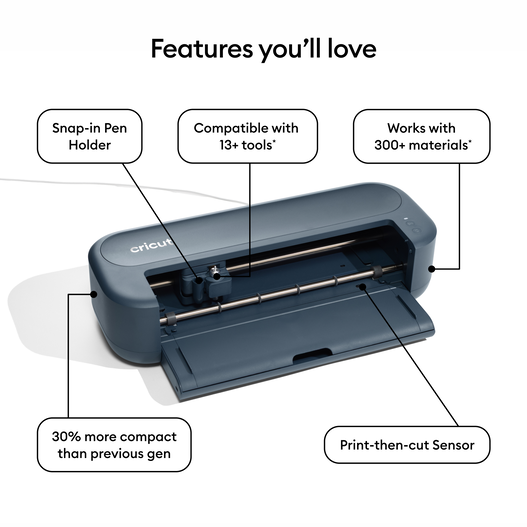
Original appliqué, small pattern pieces and mixed crafts

Portable classes, small blocks and occasional quilting

Quilting with less hand-cranking and limited table space
| Machine | Choose it for | Cutting system | Fabric capacity / key limitation |
|---|---|---|---|
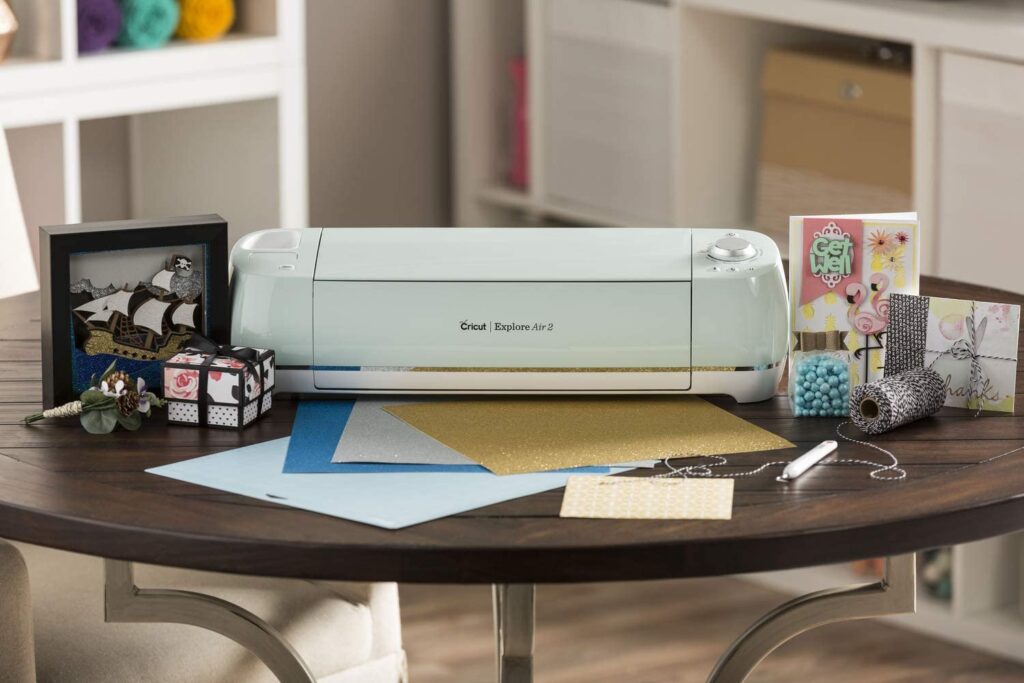
| Cricut Maker 5 | Original appliqué, small pattern pieces and mixed crafts | Digital blade cutter | 12-in class; 11.5 × 11.5-in usable mat cut area |
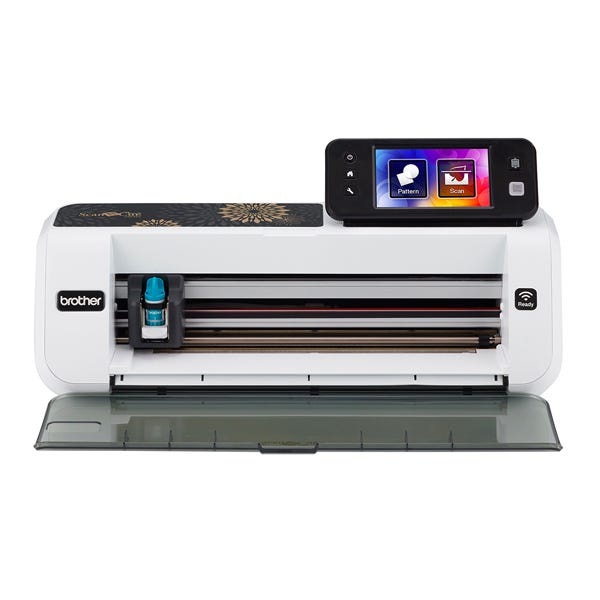
| Brother ScanNCut DX SDX125E | Hand-drawn shapes, scanned templates and on-machine editing | Digital blade cutter + scanner | 12-in mat class; built-in 600-dpi scanner |
| AccuQuilt GO! Me Starter Set (55610G) | Portable classes, small blocks and occasional quilting | Hand-crank quilting die cutter | 6-in die width; 8.5-lb cutter |
| AccuQuilt GO! Fabric Cutter Starter Set (55100H) | Frequent quilts with strips, squares and triangles | Full-size hand-crank die cutter | 10-in die width; about 15 lb |
| AccuQuilt GO! Bolt Electric Starter Set (55918) | Quilting with less hand-cranking and limited table space | Portable electric die cutter | 10-in die compatibility; cutter weighs 9.5 lb |
| AccuQuilt GO! Big Electric Starter Set (55500) | Quilters needing the broadest GO! die compatibility | Wide electric quilting die cutter | 14-in die width; approx. 23-lb cutter |
| Sizzix Big Shot Machine Only (667085) | Felt flowers, ornaments, fabric embellishments and paper crafts | Six-inch hand-crank die press | 6-in opening; manual crank |
| Silhouette CAMEO 5 Alpha (SILH-CAMEO-5A) | Fabric appliqué alongside vinyl, labels and custom SVG work | Digital blade cutter | 12 × 24-in operating area with cutting mat |
Important: A 12-inch electronic mat is not interchangeable with a 12-inch die-cutter opening. One determines the usable programmable design area; the other is the maximum width of a physical die board. All stated multi-layer capacities depend on fabric type and compatible dies.
Repeated triangles, squares, strips
Steel-rule die cutter
Easy to produce identical pieces in batches; dies are fixed shapes.
Names, animals, custom outlines
Digital rotary-blade cutter
Rescale or draw new cutting paths; plan for mats and blade supplies.
Scan a paper template or traced design
Scanner-equipped cutter
Brother ScanNCut can turn a clean scanned outline into a cut file.
Skirts, sleeves, long curves
Rotary cutter + ruler / shears
Large paper patterns often exceed craft-mat size. A machine is not automatically quicker.
Example: Custom shapes
Setup: design → fix fabric to mat → test cut → weed
Best when designs change often.
Example: Repeat blocks
Setup: choose die → align grain → stack layers → roll
Best when shapes repeat many times.
Example: Garments and strips
Setup: press fabric → mark/rule → cut accurately
Often best when pieces are larger than a mat.
The colored bars above illustrate different workflows; they are not benchmark scores or claims that one system is a particular percentage faster.
Amazon package check: The linked listing is the Cricut Maker 5 Essential Bundle, not the machine-only box. Bundle materials differ, and the Rotary Blade and FabricGrip mat needed for many unbacked-fabric projects must still be checked separately.
The Maker 5 is our best pick for someone who wants to draw, resize and repeat their own fabric shapes rather than buy a physical die for every outline. Its broad tool ecosystem is useful when a sewing hobby crosses over into vinyl, paper, felt and personalized gifts.
This is not the same job as feeding six cotton layers through a quilting die. A rotary blade traces the design on fabric held flat on a mat, normally one layer at a time. For unsupported cotton, buy the compatible Rotary Blade and FabricGrip mat separately: the standard Maker 5 package includes a fine-point tool and LightGrip mat, not a ready-to-cut-unbacked-fabric kit. The advertised 3 mm clearance applies only to compatible materials and tools; it is not permission to cut every three-millimeter textile.
Its Design Space workflow is friendlier for selecting ready-made projects than a full design suite, but it needs a compatible connected device and the online experience can matter. Basic operation does not require an Access subscription, although much of the premium design catalog does. Choose it for frequent different shapes; avoid it when all you cut are two-inch squares and half-square triangles.
System: Digital blade cutter Fit: 12-in class; 11.5 × 11.5-in usable mat cut area
Fabric-specific tools: Rotary Blade + FabricGrip mat sold separately
Buying check: Check that the exact listing specifies Slate Blue Maker 5 (2012940), and budget for the Rotary Blade, correct mat and replacement adhesive care. Don’t assume bundles include the fabric tools.
The ScanNCut DX has one advantage other electronic machines cannot fake with an optional blade: a scanner inside the machine. Place a drawing or a paper template on the mat, scan it, refine the outline on the 5-inch touchscreen, and cut without building a design from scratch on a computer.
Brother lists 682 built-in designs, including 100 quilt patterns, and material thickness capability up to 3 mm with limitations. That 3 mm maximum is for suitable materials, not a promise about any upholstery fabric or stack of cotton. For quilting cotton, check Brother’s dedicated thin-fabric Auto Blade and high-tack adhesive-sheet workflow: the included standard accessories vary by package and may not be optimal for unsupported fabric.
The scanner is especially helpful for reproducing appliqué templates already drawn in a sketchbook. It is less compelling if your cutting files are already tidy vectors on a laptop. It also has a learning curve on the built-in screen; a scan can capture shadows or stray marks, so clean originals and test cuts remain important.
System: Digital blade cutter + scanner Fit: 12-in mat class; built-in 600-dpi scanner
Fabric-specific tools: Auto Blade supplied; fabric-specific mat/blade may be extra
Buying check: Confirm SDX125E, not older CM-series ScanNCut models, and inspect the seller’s included mats and blades. U.S. machines and voltage/warranty coverage can vary by region.
Amazon package check: The linked GO! Me listing may show model 55610 rather than the updated 55610G suffix. The product identifier matches the GO! Me starter-set family, but confirm the exact box revision and included dies before checkout.
For anyone who repeats the same small quilt-block pieces, the GO! Me gives the neatness of a cutting die without the footprint or cost of a large machine. The updated 55610G starter kit includes the cutter, two triangle dies, a 6 × 6-inch mat and project patterns.
One pass can cut up to six layers of ordinary quilting cotton under the maker’s guidance; use fewer layers for felt, fleece, fused cotton or thick textiles. Unlike a digital cutter, you cannot upload a shape: you must own a matching GO! die, so the library of compatible small dies matters more than the cutter’s motor power.
Its six-inch width rules out broader 10-inch GO! dies and the larger GO! Big-exclusive boards. If you already know you will use strip-cutting dies and larger blocks constantly, the full-size GO! is more flexible. But this small, simple hand-crank machine is the easier one to take to sewing classes.
System: Hand-crank quilting die cutter Fit: 6-in die width; 8.5-lb cutter
Fabric-specific tools: Two triangle dies and 6 × 6-in mat in starter kit
Buying check: Select the current 55610G package; check the included two dies and mats. Budget for future dies and replacement cutting mats.

Amazon package check: The linked listing uses the original 55100 model designation; the current manufacturer starter set is labeled 55100H. Confirm that the GO! Value Die, cutting mat and other starter accessories are included.
Our practical manual pick for regular quilters. The full-size GO! has room for many more die shapes than the GO! Me, including useful strip and larger geometric dies, yet it folds away when you finish a quilt top.
Its 10-inch die width and up-to-six-layer cotton guidance suit repetitive block preparation far better than drawing each square on a computer. The included GO! Value Die cuts multiple common quilt pieces; the published finished-square measurements include a standard seam-allowance system, so read the die’s labels before substituting them into a pattern.
There is still hand effort: you turn the crank with each pass. It is a poor choice for arbitrary garment shapes or one-off appliqué outlines because dies are fixed and can cost more than expected. The GO! Bolt solves some of the hand effort, while the GO! Big takes larger dies. When choosing between them, look at the actual dies you intend to buy first.
System: Full-size hand-crank die cutter Fit: 10-in die width; about 15 lb
Fabric-specific tools: Value die, 6 × 12-in mat, die pick and booklet
Buying check: Buy the 55100H starter set rather than an unspecified cutter-only listing. Verify GO! die board dimensions before ordering specialty sets.
The GO! Bolt is our pick when a hand-crank GO! feels like more work than you want but a heavy GO! Big takes too much room. You load a die, fabric and mat, then use the button to feed them through an electric roller.
AccuQuilt clarified in May 2026 that the Bolt can cut up to six layers of quilting cotton with compatible piecing dies. That updated figure is not a blanket rating for thick bonded fabric or rag-quilt dies. The company explicitly discourages rag dies and certain quilted-project dies on the Bolt, so read its compatibility chart before buying those accessories.
The basic 55918 starter includes a square die and small mat. The optional Die Catcher shown in some demonstration photos and bundles is not necessarily in the standard box. The GO! Big is a more suitable investment if your cutting plan depends on the largest GO! dies.
System: Portable electric die cutter Fit: 10-in die compatibility; cutter weighs 9.5 lb
Fabric-specific tools: Square die and 6 × 6-in mat in basic starter set
Buying check: Distinguish starter set 55918 from Essentials and Ultimate packs; the die catcher, battery and larger die bundles vary by SKU.

The GO! Big is the premium die-cutter recommendation for large quilting projects and users who want to avoid repeated hand-cranking. Its motor runs the die sandwich through automatically, and the 14-inch opening accepts GO! Big-exclusive dies that will not fit the smaller GO! machines.
Its stated six-layer capability refers to suitable fabrics under AccuQuilt’s layer chart. You can run two six-inch-wide dies side by side, which matters for batch preparation. Its broad compatibility is the draw: pick the geometric and appliqué dies you need, then choose the cutter that accepts them.
AccuQuilt also introduced GO! Grizzly dies in November 2026 for certain heavy-duty jobs: its separate up-to-12-layer figure applies to those specialized dies and GO! Big, not to ordinary GO! quilting dies. It is more substantial than the compact Bolt and costs more, even before extra dies. Unlike a Cricut or Brother, it cannot cut an uploaded silhouette. If you make occasional clothes or one-off irregular patches, a digital cutter or a rotary tool is a better investment. If you make consistent quilt blocks every month, the larger die range can justify the space.
System: Wide electric quilting die cutter Fit: 14-in die width; approx. 23-lb cutter
Fabric-specific tools: Flying Geese die, cutting mat and patterns
Buying check: Check starter set 55500 and Flying Geese die contents. Separate GO! Big Essentials and Ultimate packages include extra accessories and should not be confused with the starter set.

The redesigned Big Shot is worth considering if you cut small felt shapes and also make cards, tags or paper embellishments. It is not a competitor for a full quilt-strip workflow: its six-inch opening and fabric-capable die selection suit relatively small projects.
The key is the type of die, not just the word “Sizzix.” Thick steel-rule Bigz dies can cut suitable fabric and felt; some thin chemically etched dies intended for cardstock should not be assumed to do the same. Use the correct sandwich, platform and cutting pads listed for the die and machine. The newly redesigned 667085 should not be confused with the older gray Big Shot 660200 model or a Big Shot Plus.
A Big Shot also cannot cut custom digital patterns. Choose it when its compatible shapes overlap with your scrapbooking and felt work; skip it if you need wide quilting dies or repeatable garment pieces. The “Machine Only” package is not an assortment of dies.
System: Six-inch hand-crank die press Fit: 6-in opening; manual crank
Fabric-specific tools: Correct fabric-cutting Bigz die needed; review included pads
Buying check: Match manufacturer SKU 667085 and confirm exactly what plates/platform the specific Amazon listing includes; buy a compatible fabric-capable Bigz die for felt projects.
Amazon package check: This link is for the Classic White CAMEO 5 Alpha machine package. Do not assume it includes a dedicated fabric Rotary Blade or specialty fabric mat.
The CAMEO 5 Alpha is a strong alternative to Cricut for makers who prefer to lay out original vector projects on a desktop. Silhouette Studio offers flexible path editing and can run cutting jobs offline after setup; that is an appealing workflow for users who already organize their own pattern files.
For non-bonded fabric, budget for a compatible rotary blade and appropriate tack mat. The standard AutoBlade bundled with the cutter is not a substitute for a dedicated fabric cutting tool. Silhouette quotes a 12 × 24-inch operating area with a cutting mat and up to 3 mm of material thickness on compatible tools/materials; check the limitations before purchasing thick felt or multi-layer textile projects.
The free Studio edition covers common designs, but SVG imports and more advanced design functionality can require paid upgrades. If you want on-board scanning without a computer, choose the Brother instead. If you want the widest Cricut accessory ecosystem, consider Maker 5. Do not mistake a 12-inch vinyl feed path for the ability to cut fabric without a mat.
System: Digital blade cutter Fit: 12 × 24-in operating area with cutting mat
Fabric-specific tools: Standard AutoBlade included; Rotary Blade sold separately
Buying check: Check the Alpha (α) suffix/SILH-CAMEO-5A rather than earlier CAMEO 5 bundles; identify which tools, mats and software features the listing includes.
Check the maximum die-board width for mechanical cutters and the actual usable cut area for digital machines. These measurements are different, so this is a fit guide—not a performance ranking.
6-in system; only approved dies
10-in die width; die compatibility differs
14-in dies including Big-only boards
Typically around 11.5-in usable design width
Machine
Hardware price is only the starting point.
Fabric blade or dies
Rotary Blade, special blade, compatible dies and platforms may be extras.
Mats and maintenance
Grip mats lose tack; die-cutting mats show wear; blades eventually need replacement.
Designs and storage
Optional files/subscriptions, die storage, cutting room and work surface matter.
One-minute purchase checklist: Which exact fabric will you cut? Does the box include the needed fabric blade or die? Is a compatible mat included? Can the machine fit the shapes or die boards you plan to use? Will you need paid software features or more dies? Is there space behind the machine to feed a full mat?
Quilting cotton is comparatively easy to cut; loose knits can stretch on a sticky mat, while thick felt, fleece, layered denim and fusible-backed appliqué behave differently. A machine described as handling “up to 3 mm” may only achieve that with particular tools and approved materials. Use the manufacturer’s chart for the exact fabric and blade, and perform a small test on scrap fabric.
A dedicated rotary blade is designed to roll over unsupported fabric on a suitable fabric-grip mat. A bonded-fabric blade works best when the cloth is stabilized or has a backing. Treat them as separate techniques. Do not use a regular fine-point paper blade as a universal fabric tool; it can pull or fray delicate threads and reduce blade life.
GO! Me is compact but does not fit broader GO! boards. GO! and Bolt can handle many 10-inch-wide dies, but the Bolt excludes certain rag and thick project dies. GO! Big has the largest standard GO! capacity. Sizzix Big Shot uses its own compatible Bigz die system. Dies are not cross-brand universal, even when they look similar.
A 12 x 12-inch mat does not mean a guaranteed 12 x 12-inch cut; margin and registration requirements reduce the working area. Long garment-pattern curves, full trouser legs and broad yardage cuts may be quicker with a cutting mat, ruler and rotary cutter. For small digital appliqué, nesting pieces inside the usable area saves waste.
A steel-rule die lasts across many projects but only makes its designed shape. Cricut Design Space provides free basic cutting with optional subscription content, while Silhouette Studio’s basic edition is free but certain functions such as SVG import may require a one-time upgrade. Brother offers on-device designs and scanning. Choose based on whether you make the same shape 500 times or 500 different shapes once.
An electric die press may reduce crank motion, but it still needs setup, die alignment and enough tabletop clearance. If you have reduced grip strength or plan hundreds of passes, an electric GO! Bolt or Big can be easier than a hand crank; choose by machine footprint and acceptable die widths rather than assuming “electric” means a fully automatic design workflow.
1. Prewash or do not prewash—be consistent. Follow your pattern’s fabric preparation advice. Press the cloth flat without stretching it, and straighten the grain before nesting a die or applying a sticky mat.
2. Check the finished dimension. Quilting dies often specify both cut size and finished size. For example, a square marked 4½ inches cut may sew to 4 inches finished when the ¼-inch seam allowance is included. Measure your pattern requirements before buying dies.
3. Stabilize only when your method calls for it. For digital cutters, a FabricGrip mat and rotary blade typically handle many nonbonded woven fabrics. For some blades, backing or fusible web is required. Die presses can cut layers, but always match the layer count to textile type.
4. Do one small test cut. Inspect corners, short curves and stray threads before committing expensive fabric. A tiny adjustment to blade pressure, mat adhesion, alignment or layer count can make the difference between a clean cut and a snag.
5. Rotate, inspect and maintain. For die systems, rotate cutting mats as instructed; replace them when wear affects cuts. For digital cutters, remove lint and replace dull blades or worn mats. Keep fabric scissors and blade cutting surfaces separate from paper projects.
| What you see | What to try next |
|---|---|
| Fabric shifts or wrinkles on a digital mat | Clean the mat gently according to its maker’s instructions. Press the fabric flat, use the appropriate mat tack, and avoid stretching knits while adhering them. |
| Threads remain attached after die cutting | Check fabric count, mat wear and die orientation. A few thread bridges can be normal with some textiles; snip carefully rather than forcing the die or doubling the layers. |
| Corners fray or curves snag | Try a sharper correct fabric blade, test lighter fabric or a stabilizer where appropriate, slow down an electronic path and inspect mat tack. |
| Small pieces do not align when sewing | Check whether a pattern measures cut or finished size. Confirm the die includes the intended seam allowance and align grain as instructed. |
| Cutter refuses to feed a thick sandwich | Stop instead of forcing it. Check the die/platform/cutting-pad combination and manufacturer restrictions; excessive layers can damage a press. |
If you repeatedly cut the same block shapes, an AccuQuilt die system is usually the more direct workflow. GO! Me is compact, GO! suits broader manual dies, Bolt offers a light electric alternative, and GO! Big handles the largest GO! dies. Digital cutters are better for varied custom appliqué.
With the compatible Rotary Blade and appropriate FabricGrip mat, it is designed for many nonbonded fabrics. Those accessories are not included with the standard Maker 5 machine package; verify the exact bundle before purchasing.
Yes. It has a built-in scanner, screen and designs. However, the correct fabric blade and high-tack support may be additional accessories, and not all textile types work equally well.
AccuQuilt quotes up to six layers of suitable quilting cotton for several GO! cutters. Its 2026 GO! Bolt clarification specifically applies to compatible piecing dies. Digital rotary-blade cutters generally work with fabric secured on a mat, commonly one layer at a time.
For small, repeated felt motifs with compatible Bigz dies, a Big Shot can be simple and economical. For custom changing silhouettes, Cricut or Silhouette with the correct fabric tool provides more flexibility.
“Cut size” includes fabric needed for seam allowances. “Finished size” is the size after sewing. Always match the pattern’s seam allowances and identify which one the die label reports.
Usually not in one pass. The cutting width and mat length limit digital machines; die cutters are limited to die shapes. For garment panels and wide curves, shears or a rotary cutter on a large mat are often the better option.
No subscription is required for the basic Cricut Design Space workflow or the basic Silhouette Studio editor. Optional paid Cricut content and Silhouette software upgrades can change what files and functions are available.
For original fabric designs, choose Cricut Maker 5 and purchase its fabric-specific tools; for scanned sketches, Brother ScanNCut DX is more direct. For repeatable quilt blocks, start with GO! Me or full-size GO! if you are happy to crank, GO! Bolt when you want compact electric feeding, and GO! Big if you need the widest die range. Sizzix Big Shot makes sense for felt and smaller craft shapes; Silhouette CAMEO 5 Alpha rewards users who prefer desktop-driven digital pattern work.
If your sewing project consists mainly of long straight strips and garment panels, spend your money first on a quality cutting mat, ruler, sharp rotary cutter and a properly sized sewing workspace. For more electronic cutter advice, see our Cricut beginner guide and vinyl-cutter comparison.



I’m not a quilter, but I’ve been cutting up a fair share of heavy material into rectangles— and I need a reliable cutting machine to handle thick material. I don’t know how those work; I’m trying to cut a few thousand sheets of paper about a millimeter thick into 4” x 7” or 8” x 10”. Does anyone have a recommendation?
Hi! I’m looking for a cutting machine to be used on linen fabric. I’d really appreciate any advice.
The Cricut Maker can cut over 100 types of materials, including linen fabric. The Rotary Blade should also work just fine on this type of fabric.
Which one is better, AccuQuilt or Circuit? Has anyone any experience with those?
Circuit is good for cutting anything. AccuQuilt is best if you need accurate designing parameters or you can cut anything but need to find out how to use the software.
Can anyone using a Cricut Maker help me out here? Do sewing machine needles get gummed up with fabric that has been cut by it?
Fabric is rather different from the mat and as such, the adhesive doesn’t really stay on the fabric. The adhesive used on the mat is to keep it in place during the manufacturing process and so can peel away easily from any fabric.
Nope, it doesn’t. You just put the fabric on the sticky mat and once you have cut it, it comes off clean.
What is the difference in size between the “Big Shot” and “Plus?” Do you think it’s minimal, judging by the measurements?
Yep! You can also use the machine to cut a whole sheet of cardstock at once and you can’t do that with the big shot. You can also cut more dies at one time if you need to make several cuts for cards or scrapbooks
I’ve owned both Silhouette and Cricut – the latter was hard to get used to. It also ran poorly online, so I returned it and got myself a Silhouette which was like a dream.
I’m a novice quilter and don’t know what supplies I need. I can’t afford everything but wanted input from other quilters. Which cutter do you have? What do you think about it? I was thinking of the Accuquilt, but noticed that the Silhouette has more abilities. But I’m wondering if there’d be constant repeat purchases in order to use it.
The Silhouette is perfect for paper. I find that a lot of people have trouble cutting fabric on it. If you can find enough tutorials and figure out the tricks to make it work, then it would be worth the investment. I use Silhouette to cut out freezer paper templates and cardstock templates for applique pieces
I have both an AccuQuilt and a Silhouette Cameo. I love both tools. They’re not my go-to craft tools, but I like to use them in certain situations because they produce better results than the standard rotary mat and rotary cutter. AccuQuilt – I love it for lots of strips and that is exactly what this quilting machine is best at. I have the 1.5″ and 2.5″ dies, which I use for my binding and larger strips, respectively. It came with a die that I still haven’t opened yet but might do soon! I’ve found some really good dies they have here, but most are pricey. I got Silhouette Cameo for Christmas but just recently used it for the first time. I love the versatility of it, all I have to do is come up with an idea and I can cut my favorite shapes. I’m looking to cut vinyl and I’ve already cut my fabric. I developed my own templates and cut out one of them.
Hi! Do you know of any machines in particular that can cut strips that are about 70 inches long? Thank you.