

As an Amazon Associate we earn from qualifying purchases.
The Cricut Explore 5 is the best Cricut machine for most beginners: it has room for common paper, vinyl, and iron-on projects without asking you to buy the Maker’s specialty cutting system. Choose the Cricut Joy 2 when your projects are mostly cards, labels, and small stickers and storage space matters more than width. If you know you want fabric, leather, or more specialized tools, the Cricut Maker 5 gives you a wider path to grow.

Versatile 12-inch cutter for vinyl, paper, iron-on, and printable projects.

Portable 4.5-inch cutter for cards, labels, and small Print Then Cut projects.

12-inch cutter with specialty tool options for fabric and thicker materials.
| Machine | Approximate cutting width | Print Then Cut | Best first projects | Main limitation |
|---|---|---|---|---|
| Explore 5 | 12-inch class | Yes, with separate inkjet printer | Shirts, decals, cards, stickers | No Maker specialty blade system |
| Joy 2 | 4.5 inches | Yes, with separate inkjet printer | Small cards, labels, decals, stickers | Too narrow for larger designs |
| Joy Xtra | 8.5-inch Smart Materials; letter-size mat projects | Yes, with separate inkjet printer | Full-color stickers, shirts, cards | Less width and fewer tool options than Explore |
| Maker 5 | 12-inch class | Yes, with separate inkjet printer | Fabric, leather, paper, vinyl, specialty effects | Higher total cost once specialty tools are added |
Width describes the machine and compatible material format, not the printable area of every design. Print Then Cut needs room for registration marks, so check the size shown in Design Space for your chosen paper and project before laying out a sheet of stickers.
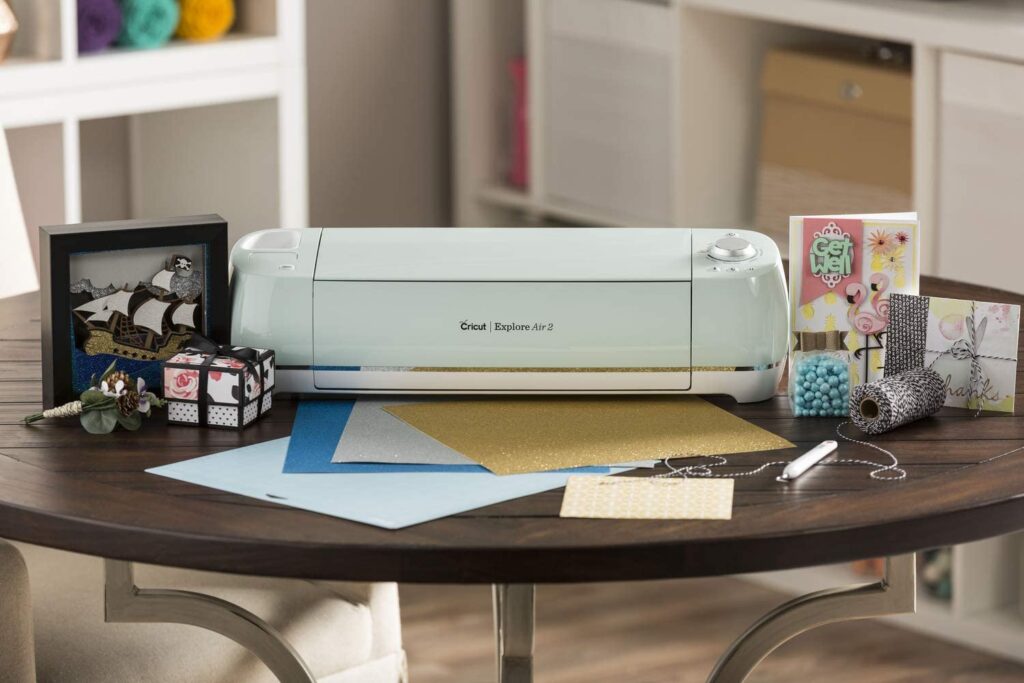
Explore 5 is the straightforward choice if you want to try several crafts: iron-on for shirts, adhesive vinyl for cups or signs, cardstock cards, and full-color stickers printed on a separate inkjet printer. It accepts common 12-inch materials and leaves more room to change your mind than either compact Joy machine. If you already have a specific small-project routine, a smaller cutter can be easier to store and set up.
Joy 2 handles small shapes and stickers, but its 4.5-inch width limits how you use a larger printable sheet and how wide you can make a shirt design. Joy Xtra is the middle ground when letter-size printable sticker sheets are your priority and you want a compact machine. Explore 5 makes more sense when you also want bigger decals, larger iron-on designs, and more tool flexibility.
Maker 5 cuts ordinary vinyl and paper, but its reason to exist is the broader material and tool system. The rotary, knife, engraving, and other specialty tools are a reason to choose it if those projects are on your list. Check the contents of the exact bundle: compatible tools, mats, and materials may be separate purchases. A standard Fine-Point Blade alone does not unlock every Maker material.
Key details: 12-inch cutting machine · 100+ compatible materials · Print Then Cut · cuts vinyl, iron-on, cardstock, and compatible printable materials · linked listing is the Taupe Essential Bundle with digital content.
Explore 5 hits the practical sweet spot for somebody who has not yet picked one craft. It makes the familiar Cricut projects without forcing you into the Maker tool range. Design Space walks you through placing the material and sending the cut; for printed stickers, it sends artwork to your home inkjet printer first and then reads the marks to cut the sheet. Its roomier format is especially useful if your first experiments might include both small cards and wider shirt designs.
It still has a learning curve: you need the right mat or compatible Smart Material, the right blade and setting, and some practice weeding thin designs. The linked Essential Bundle includes supplies, but compare its exact contents against what you plan to make instead of assuming every material or accessory is in the box. Skip Explore 5 if your only goal is compact labels and cards; choose Maker 5 if you know you will cut compatible fabric or use specialty tools regularly.
Key details: 4.5-inch cutting width · just over 2 lb · 75+ compatible materials · Print Then Cut with a separate inkjet printer · linked listing is the Blue Essential Bundle with digital content.
Joy 2 earns its place if you craft at a kitchen table and put everything away afterward. It is suited to short runs of labels, gift tags, small decals, cards, and printable stickers. Unlike the original Cricut Joy, this second-generation machine supports Print Then Cut, so an inkjet printer can supply colorful artwork and the Joy 2 can cut around it.
The restriction is physical width. A broad iron-on for an adult shirt, large sign, or full sheet of repeated stickers becomes awkward or impossible within its small cutting area. Its blades, mats, and materials are sized for the Joy system; check accessory compatibility before buying supplies for another Cricut family. Choose this when compact storage and small projects are the plan, not when you merely hope a small cutter can do every project of an Explore.
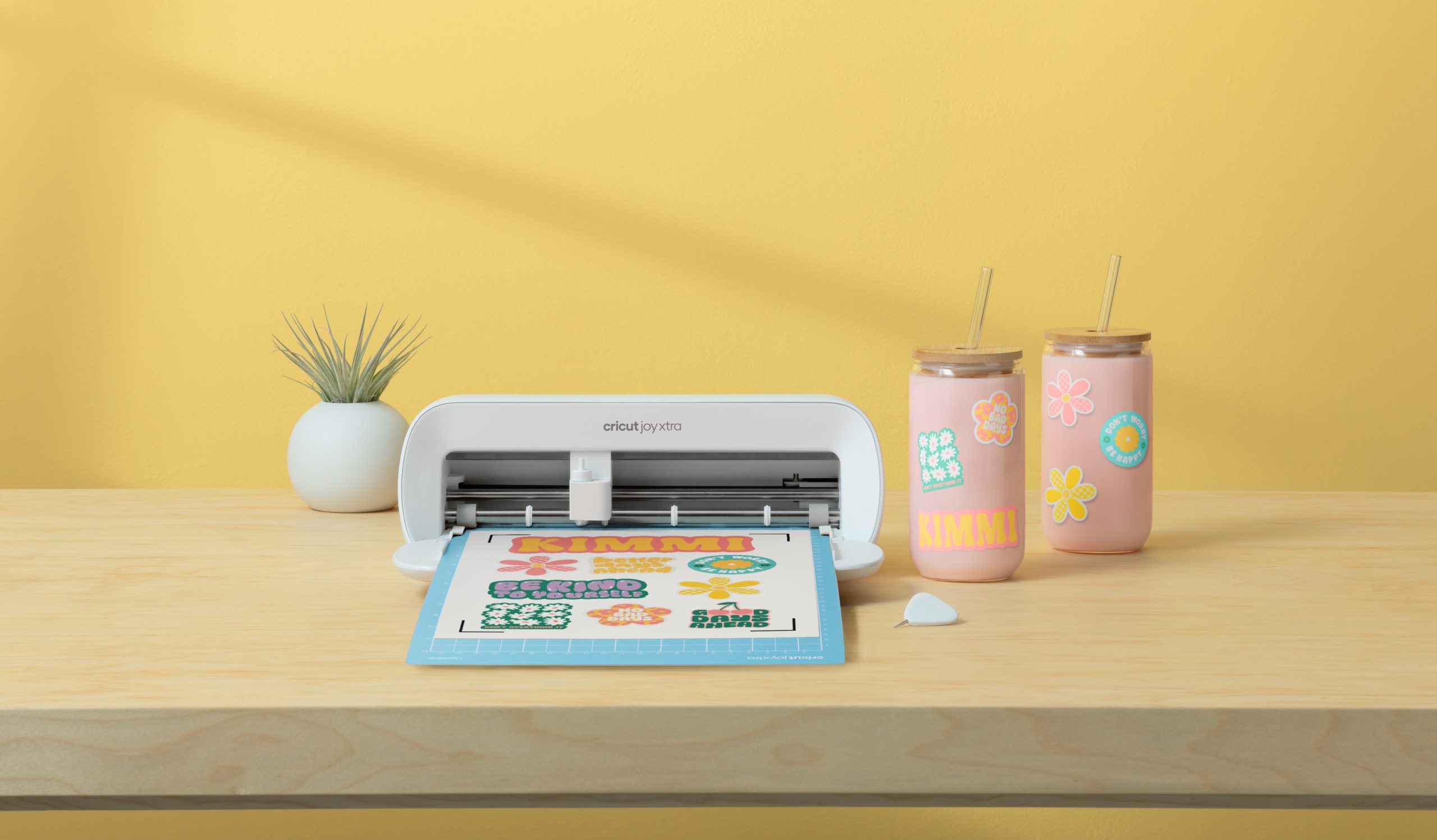
Key details: wider Joy-family cutter · works with 8.5-inch Smart Materials and letter-size mat projects · 50+ compatible materials · Print Then Cut · linked listing is the white machine with digital content.
Joy Xtra makes sense when you want to use a common printable sheet for full-color stickers but do not have space for a full-width machine. It also cuts cards, vinyl decals, and iron-on, so it is more than a dedicated sticker cutter. It pairs with a separate inkjet printer for Print Then Cut; the printer does the color printing, while the Cricut reads the marks and cuts the shapes.
The tradeoff is the smaller Joy tool and material ecosystem. If your projects will soon include wide wall decals or lots of large shirt transfers, Explore 5 gives more width and room to grow. Check the bundle contents for a compatible mat and printable materials before your first sticker project; the linked digital content does not mean consumables are automatically included.
Key details: 12-inch cutting machine · 300+ compatible materials · 13 compatible tools across the system · Print Then Cut · linked listing is the Slate Blue Deluxe Bundle with digital content.
Maker 5 suits a beginner who already has a broader craft plan. Its compatible specialty tools can tackle fabric, select thicker materials, and decorative operations such as engraving or debossing, depending on the tool and material. You can start with straightforward cardstock and vinyl projects and add specialist accessories as you need them. This flexibility is useful for sewing, mixed-media work, and gifts that go beyond flat paper and adhesive vinyl.
Its higher capability does not remove the need to choose a compatible blade, mat, and material setting. Some thicker projects call for an optional Knife Blade and specific approved materials; the advertised up-to-3-mm capability is not permission to feed arbitrary 3-mm stock through the machine. The linked Deluxe Bundle has more supplies than a machine-only box, but inspect the exact listing for any specialty tool you expect to use. If you only intend to make shirts, cards, and stickers, Explore 5 is the simpler purchase.
For your first cut, our Cricut setup and use guide walks through the basic workflow. If you are deciding between an electronic cutter and a manual die-cutting setup for cards, see Cricut vs Sizzix.
Explore 5 is the easiest recommendation when you are still deciding which crafts you enjoy: it accommodates a wider range of common projects than a compact Joy machine without making you pay specifically for the Maker’s specialty tools. Joy 2 can feel easier to live with if you only want small cards and labels.
No. Cricut Design Space has a free tier, and you can make designs with your own compatible files and available free content. Cricut Access is an optional paid subscription for additional images, fonts, projects, and certain features. Review any digital-content bundle terms separately; included content is not automatically an ongoing subscription.
Yes. Joy 2 supports Print Then Cut using a separate compatible inkjet printer and printable material. Its 4.5-inch cutting width means fewer or smaller stickers fit in a pass than on Joy Xtra or Explore 5. The original Joy is a different model and should not be assumed to have this feature.
Buy Maker 5 if your planned projects need compatible fabric cutting, thicker materials, or its specialist blade and decorative tools. For cardstock, adhesive vinyl, iron-on, and basic printable projects, Explore 5 covers the main beginner workflows.
No. They cut, draw with compatible pens, and perform other tool-dependent operations. For full-color Print Then Cut projects, a separate compatible inkjet printer prints the design first.
Start with Explore 5 if you want one machine for the usual mix of shirts, cards, decals, and stickers. Pick Joy 2 for small crafts and minimal storage, or Joy Xtra when compact, letter-size sticker work is the main goal. Choose Maker 5 when its fabric and specialty-tool system fits projects you are ready to make.