

For most children ready to try a 3D drawing pen, the 3Doodler Start+ Essentials is the clearest first choice: it is designed for ages 6–13, has no external hot parts, and includes a drawing pad and guided activities. The MYNT3D Junior2 is another low-temperature option with a different grip and PCL refill system. For a teen aged 14 or older who can work with a hot nozzle under supervision, the SCRIB3D P1 offers an accessible start, while the 3Doodler Flow provides a more complete guided upgrade kit.
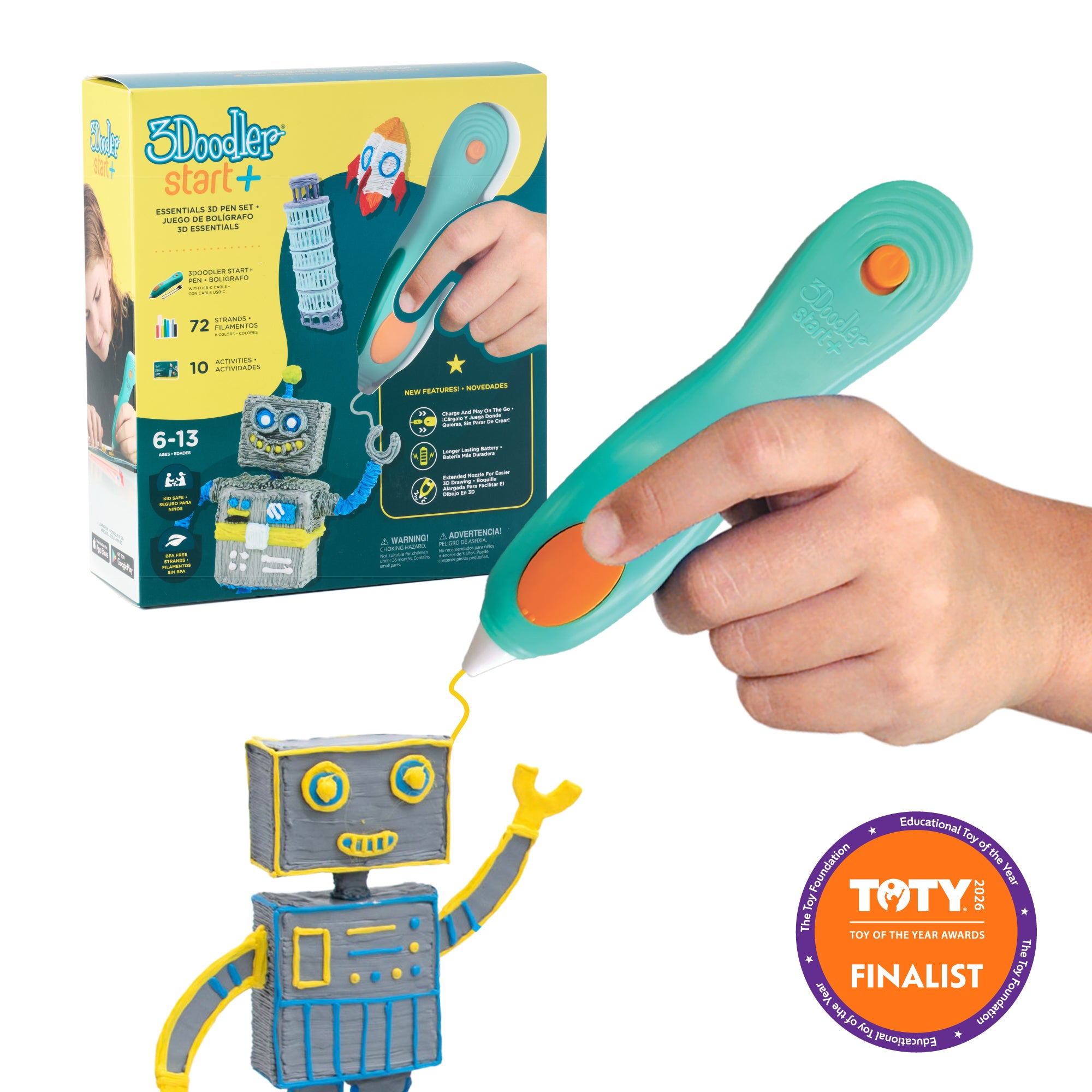
Low-heat, cordless starter set with DoodlePad and guided projects for ages 6–13.
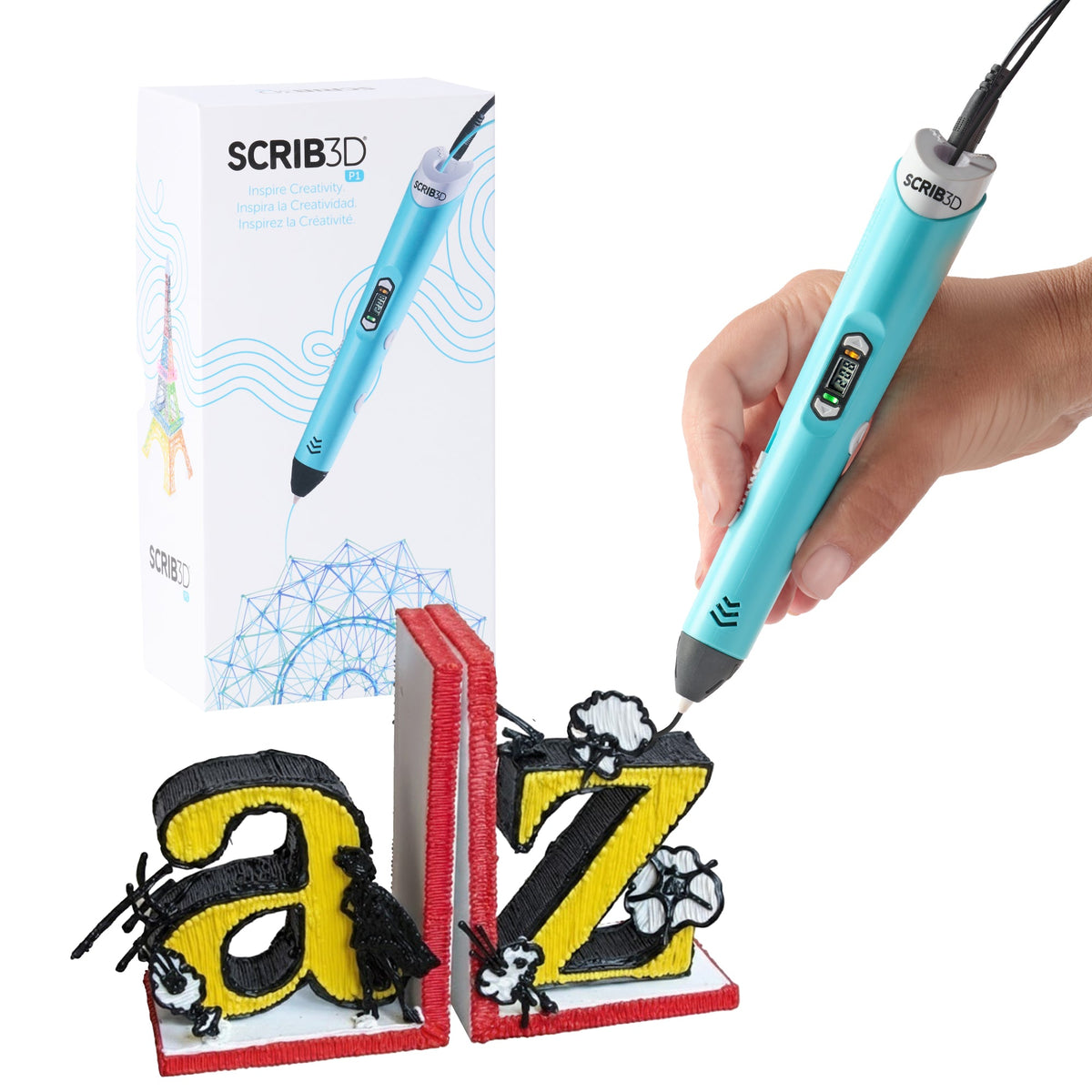
A 14+ entry to PLA drawing with a visible setting and a modest starter kit.
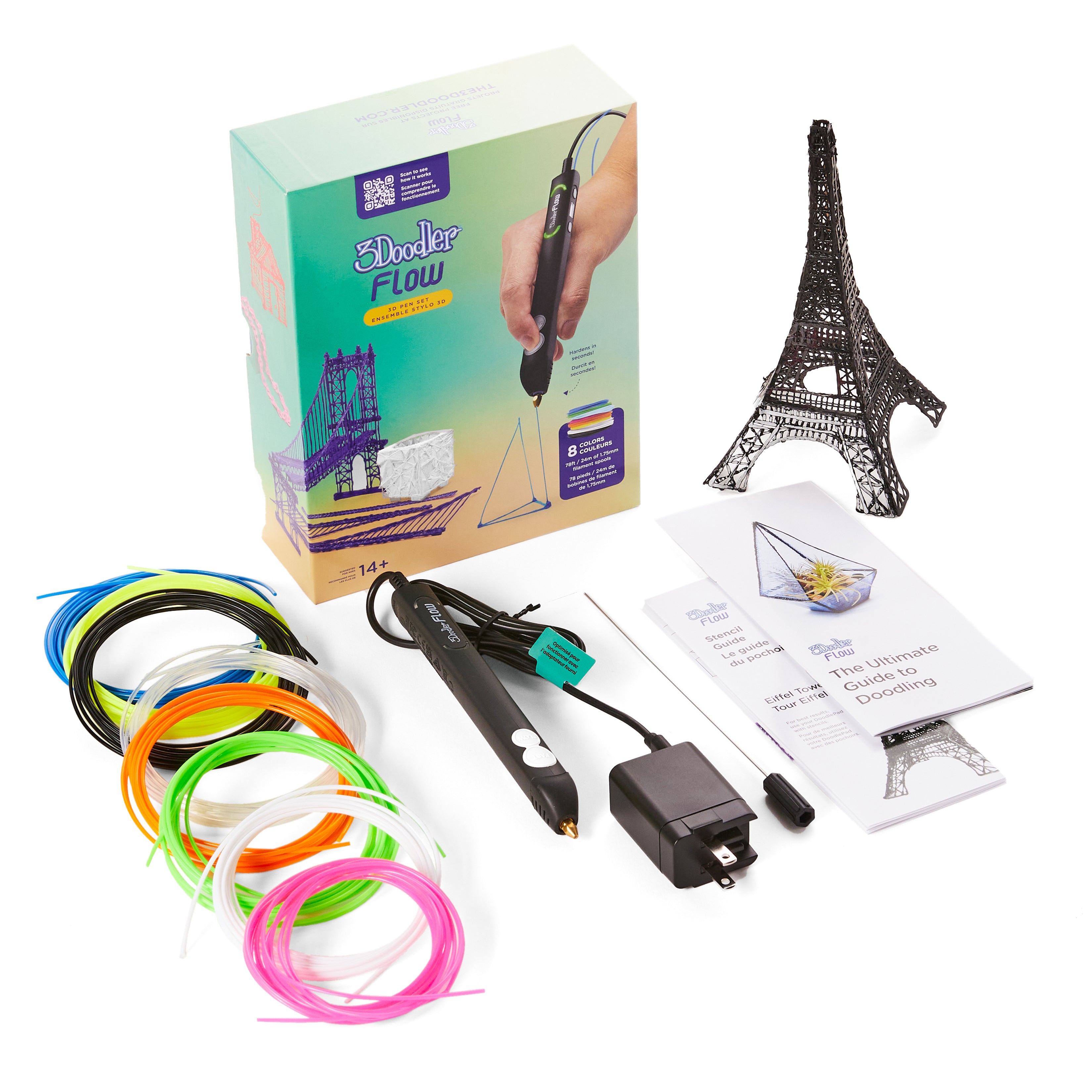
For ages 14+: eight mini PLA spools, stencils, guide, and an LCD-equipped pen.
| Pen | Age and heat | Refill format | Best reason to choose it | Watch for |
|---|---|---|---|---|
| 3Doodler Start+ Essentials | Ages 6–13 (maker range); Low heat; no external hot parts | 3Doodler Start+ 2.5 mm strands | First pen with a DoodlePad and guided projects | Needs its own Start+ refills |
| MYNT3D Junior2 | Ages 6+ (maker guidance); Low heat; no external hot parts | 1.75 mm PCL only | Small hands and a cordless, ergonomic pen | No PLA/ABS; Amazon availability can vary |
| SCRIB3D P1 | Ages 14+ (maker guidance); Hot ceramic nozzle | 1.75 mm PLA or ABS | Affordable temperature display and basic control | Plug-in use; hot tip |
| 3Doodler Flow Essentials | Ages 14+ (maker guidance); Hot nozzle | 1.75 mm PLA/ABS; check refill guidance | Spool kit and a step-by-step activity path | Plug-in pen; not compatible with Start+ strands |
| MYNT3D Super 3D Pen | Older supervised users; Hot nozzle | PLA or ABS setting | Smooth flow adjustment without a display | No exact temperature readout |
| MYNT3D Pro 3D Pen | Older supervised users; Hot nozzle | PLA/ABS and compatible specialty filament | Temperature fine-tuning for varied projects | More settings to learn; hot tip |
For a younger first-time maker, begin with the maker-rated low-temperature pens: Start+ and Junior2 have no externally heated parts and are specified for children from age six. That still calls for an adult nearby to help with charging, loading, tangles, and cleanup. The P1 and Flow are explicitly 14+; MYNT3D Super and Pro are hot-tip pens that also require an older, supervised user. A child who is not ready to keep fingers away from a hot tip should stay with the low-heat category.
The nominal diameter alone is not enough. Start+ takes the brand’s own 2.5 mm Start+ strands. Junior2 uses 1.75 mm PCL and cannot run common PLA or ABS. The teen pens in this guide use 1.75 mm PLA/ABS within their maker’s instructions; Flow’s listed compatibility and bundle refills should be checked with its current support guidance. Never force filament through a pen or heat a children’s PCL pen for PLA. The 3D pen finder can help narrow the age and material choice.
A child may enjoy the first hour more with stencils, a drawing pad, and a project booklet than with an extra setting. Start+ offers the strongest young-child project path here; Flow adds guided activities for older users. P1 is a straightforward hot-tip entry, Super gives a smooth speed slider, and Pro is worth considering only when temperature fine-tuning will actually be used. Compare the refill cost and package contents alongside the pen.
Start with a flat stencil on a suitable surface, draw a simple outline, let it cool, then join pieces into a small shape. Adult help with filament loading and an occasional pause to clear a snag can keep the session fun. Hot-tip models need a heat-safe place to rest, good ventilation, and a habit of never touching the nozzle or fresh extrusion. For a broader child-safety checklist, see the kids’ 3D pen safety guide.
Key details: Rechargeable USB-C pen · no external hot parts · 72 Start+ filament strands, DoodlePad and project guide in current Essentials set.
Start+ is the easiest recommendation when the user is a six- to twelve-year-old who wants to trace shapes before building upward. Pressing the button extrudes the strand, and the included DoodlePad and activity guide give a child a flat starting surface and projects to follow. The cordless pen avoids a power cable trailing across the work area.
The low-heat design reduces contact-burn risk compared with a hot-tip PLA pen, but the freshly extruded plastic and small pieces still call for adult supervision and the maker’s age guidance. Start+ uses its own 2.5 mm strands, not ordinary 1.75 mm PLA or MYNT3D Junior PCL. Budget for the correct refills and check the current kit contents before ordering.
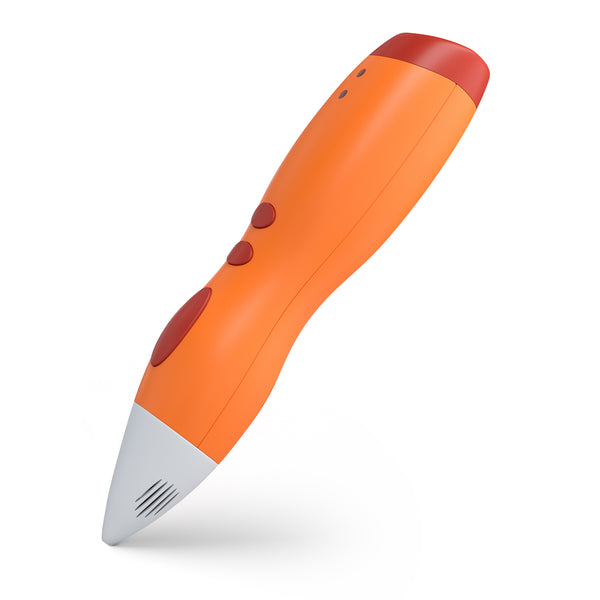
Key details: Battery-powered low-temperature pen · 1.75 mm PCL only · USB charging · PCL starter colors and stencils in the linked kit.
Junior2 is a sensible alternative if the child prefers a wider, easy-to-grasp body. It has no externally heated parts and works with lower-temperature PCL filament; the bundled stencils help start with simple shapes. Its cordless design is convenient at a kitchen or craft table, provided the pen is charged before the session.
The key catch is the refill system. Although the material is 1.75 mm in diameter, it must be suitable PCL for this pen; common PLA and ABS are incompatible. The linked listing may show buying options instead of a featured offer, so confirm the exact Junior2 kit, charger details, and refill supply at checkout. Choose Start+ if a more readily found guided kit matters more than the Junior2 grip.
Key details: Plug-in hot-tip pen · LCD temperature readout and adjustable speed · 1.75 mm PLA/ABS · three PLA starter colors, adapter and stencil guide.
P1 makes sense for a teen who has moved beyond low-temperature doodling and wants to learn filament feeding and temperature control without buying a premium pen. The display makes the chosen setting visible, and the three included PLA colors and stencil guide are enough to try flat outlines and simple raised forms.
The heated ceramic nozzle can burn skin and the pen must stay connected to its power supply. Its 14+ label is important: this is not a substitute for Start+ for a younger child. Use PLA for the first projects in a ventilated room, confirm the setting against the filament instructions, and keep a heat-safe rest area clear of loose paper and fingers.
Key details: Plug-in 3D pen · LCD temperature display · eight mini PLA spools, adapter, stencil sheet, maintenance tool and guide in current kit.
Flow is the more structured step up for an older teen who enjoyed Start+ and now wants finer material choices. The Essentials package adds eight small PLA spools, a stencil sheet, and a guide, so it feels like a complete next project rather than a bare electronics purchase. Its display helps monitor temperature while learning to build in layers.
Do not carry over Start+ strands: the Flow family uses a different filament format. The manufacturer describes 1.75 mm PLA and ABS capability, but the hot nozzle and heated plastic make this an age-14-plus tool with active supervision and ventilation. Start with the supplied PLA; ABS brings additional fumes and is unnecessary for a first drawing project. Check the Amazon box contents because similarly named Flow bundles vary.
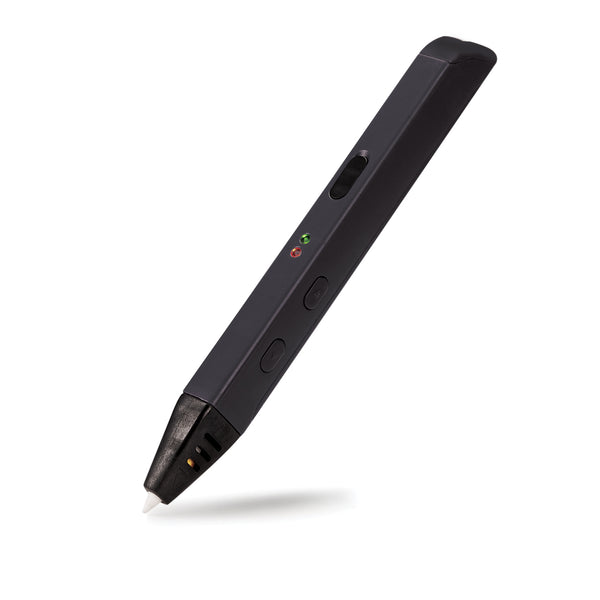
Key details: Stepless feed-speed slider · switchable PLA/ABS temperature mode · no display · three PLA colors and AC adapter in the manufacturer kit.
The Super’s appeal is tactile feed control: move the slider to slow down around a corner or speed up along a larger outline. It offers the basic PLA/ABS material switch without the more involved one-degree temperature adjustments of the Pro. That makes it a reasonable pen for an older child and adult to share at a supervised craft table.
The absence of a display also means less feedback if the plastic is behaving badly. Read the pen and filament instructions, feed only the approved diameter and material, and allow the hot nozzle to cool before storing it. This is a hot-tip pen despite MYNT3D’s broad “all ages” marketing; select a Junior2 or Start+ for a younger child.
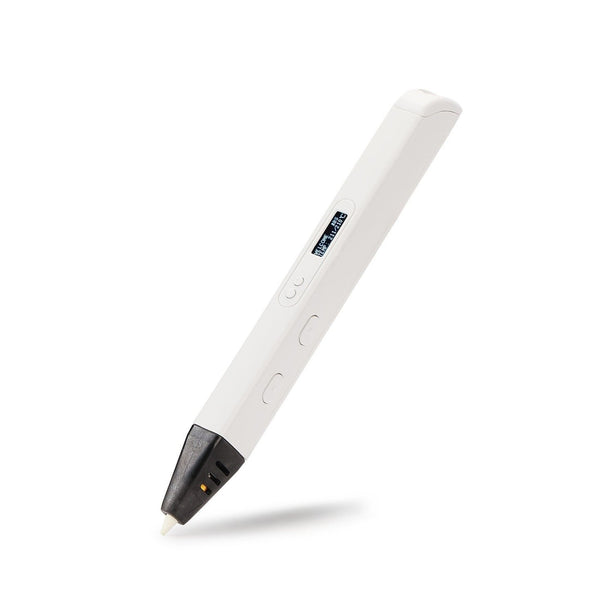
Key details: OLED temperature readout · 1 °C setting increments · variable feed speed · three PLA starter colors and AC adapter.
Pro is for a teen who already understands the basics and wants to tune flow and heat to a particular compatible filament. The OLED readout and one-degree temperature steps are useful for experimenting with detailed builds or specialty material within the maker’s supported operating range. Its slim body offers more control than a bulky children’s pen for small features.
Fine control is only valuable if someone will use it. The pen can reach high nozzle temperatures, so this is a supervised older-maker tool, not a low-heat children’s gift. Check the filament maker’s diameter and working-temperature guidance before changing materials. If you just need an uncomplicated first hot-tip pen, P1 is easier to justify; if you want a simple speed slider without a readout, choose Super.
A 3D pen is best for freehand outlines, decorative forms, and learning how shapes build in space. If the child wants repeatable, dimensionally consistent parts from digital models, a kid-oriented 3D printer guide addresses a different category of equipment and adult setup.
The 3Doodler Start+ Essentials is the strongest first pick here because its maker rates it for ages 6–13 and includes a DoodlePad and guided projects. MYNT3D Junior2 is another age-six-plus low-temperature option if its shape and PCL refills suit you better. An adult should supervise either pen and handle loading and cleanup as needed.
Do not treat that as an equivalent to a purpose-built low-temperature children’s pen. A PLA/ABS pen still has a hot nozzle and is designed around its approved materials and temperature ranges. Follow the maker’s age rating; P1 and Flow are 14+ choices.
No. Start+ uses its own 2.5 mm strands; Junior2 uses 1.75 mm PCL and is incompatible with PLA/ABS. The older-user pens take 1.75 mm filament of supported material types and temperatures, but always check the exact pen and refill instructions. Never assume matching diameter means matching heat or formulation.
A cordless Start+ or Junior2 removes a cable from the drawing area and makes short sessions easier to set up. It also needs charging. A plug-in hot-tip pen can run longer without battery interruption but adds a cord, a hot nozzle, and greater supervision needs. Choose by the child’s age and handling ability first.
Check the power or charge, the selected material and temperature, and whether the filament is inserted as the maker directs. Follow the official unload or clearing procedure for that model and let a hot nozzle cool before handling. Do not pull hard on a jammed strand or insert metal into a powered pen unless its manual specifically calls for a supplied maintenance tool.
Choose 3Doodler Start+ Essentials for most younger beginners and MYNT3D Junior2 if its grip and PCL system are a better match and the exact kit is available. For supervised teens aged 14 and up, SCRIB3D P1 is the simple value pick and 3Doodler Flow adds more guided material in the box. The MYNT3D Super suits someone who wants a speed slider; the Pro is for a maker ready to tune temperature deliberately. Buy the matching refills with the pen.